App Onboarding Video Brief: Script the First Useful Moment
Learn how to write an app onboarding video brief that shows creators the exact first useful moment your app delivers, not a feature tour.

Most app onboarding video briefs I've seen fail for one reason: they try to show everything. Every feature, every screen, every reason the app is great. By the time the creator gets to the part that actually matters — the moment a new user feels the app was worth downloading — the viewer's already gone.
I've sent hundreds of briefs to creators for Flare clients, and the ones that convert never ask for a tour. They ask for one moment, scripted tight, delivered like a friend showing you something cool on their phone. That's the whole job of an app onboarding video brief: find the first useful moment, then hand it off so clearly a creator can't miss it.
What "first useful moment" actually means
Every app has a point where the user stops evaluating and starts benefiting. Duolingo's is finishing the first lesson and seeing the streak light up. Cash App's is receiving money and watching it hit your balance in seconds. Headspace's is the first guided breath where your shoulders actually drop.
This isn't your app's best feature. It's not the thing you're proudest of building. It's the single moment where value becomes undeniable to someone who's never used the product before.
If you can't name that moment in one sentence, you're not ready to brief a creator. You're going to end up with a feature-tour video that performs like every other feature-tour video — forgettable.
Why most briefs skip this step
Founders default to "show what the app does" because that's how they think about their own product. They built thirty features and they're attached to all of them. But a 15-second TikTok doesn't have room for thirty features. It has room for one feeling.
I've watched teams spend weeks on a creative brief covering tone, brand voice, do's and don'ts — all useful stuff — and completely skip the one sentence that mattered: "here's the exact second the user gets it." Without that sentence, creators fill the gap with their own guess. Sometimes it works. Usually it doesn't.
How to find it if you don't know it yet
Pull your activation data. Whatever event your product team already calls "activation" — first message sent, first workout logged, first match, first saved item — that's your starting point. Then watch five session recordings of users who hit that event for the first time. Note the exact screen, the exact tap, the exact second feedback appears.
If you don't have session recordings, ask your support team which moment users mention most when they say "oh, that's actually cool." That's usually the same moment.
Scripting the moment, not the feature
Once you've identified the moment, the brief needs to turn it into a scene, not a spec sheet. Here's the difference:
Feature spec: "Show the user creating a workout plan using our AI generator."
Scripted moment: "Open on you staring at your phone, overwhelmed, saying 'I don't know what workout to do today.' Open the app, answer two quick questions, and in under 10 seconds a full plan appears. React like you just got handed something for free."
The second version gives a creator an actual performance to deliver. The first one gives them a checklist, and checklists make stiff, demo-like videos that viewers scroll past in under two seconds.
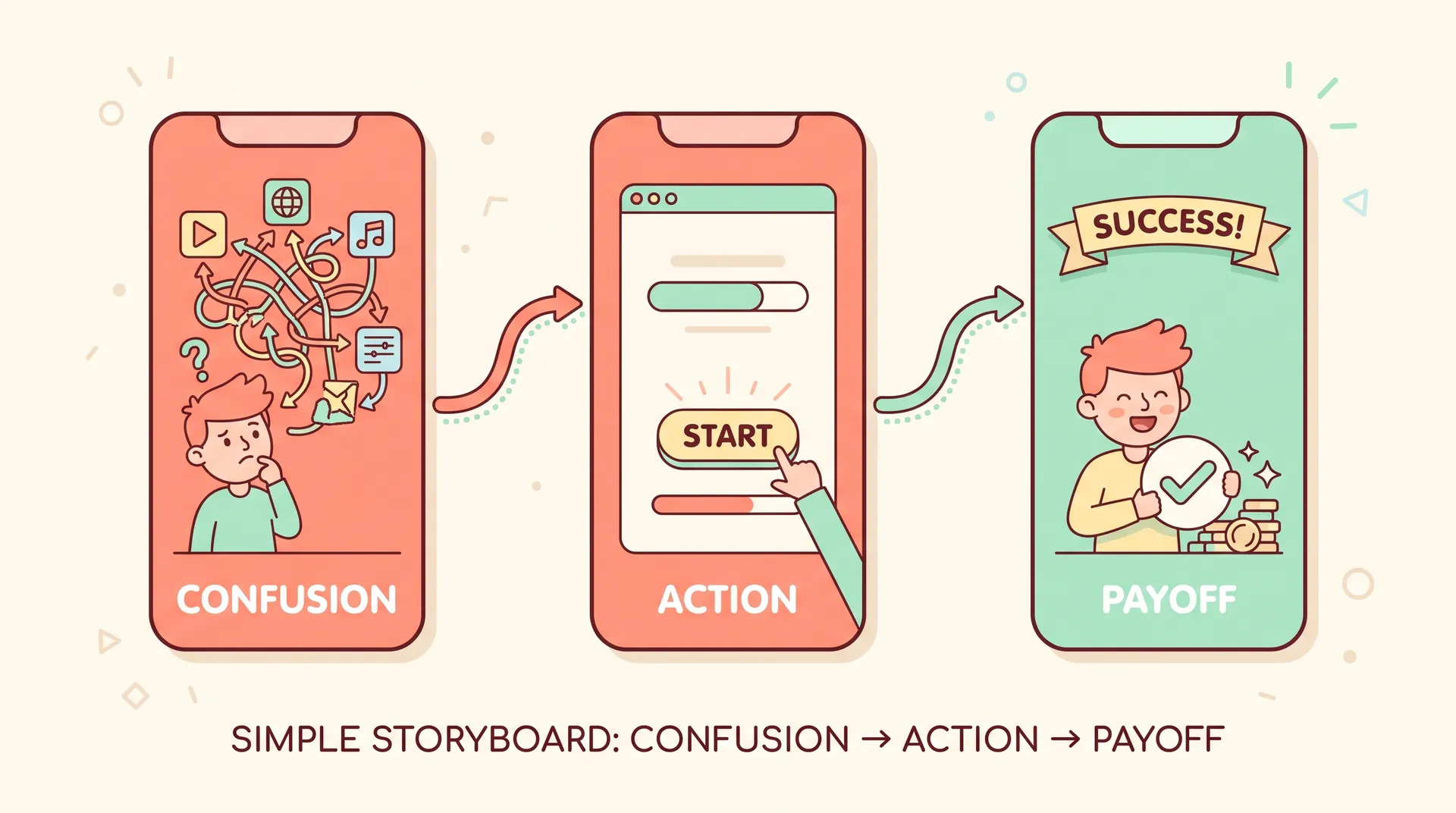
A good moment-script includes four things:
- The before state — what the user feels right before opening the app (confused, bored, stressed, annoyed)
- The exact action — the tap, the input, the screen, timestamped if you have reference footage
- The payoff — what appears on screen and how fast
- The reaction — how the creator should respond, in their own words, not a scripted line
Notice the reaction isn't dictated word-for-word. You're briefing a moment and a feeling, not a monologue. Creators who are forced to recite brand copy sound like they're reading brand copy. Let them react the way they'd actually react.
Send creators a 10-second screen recording of the moment alongside the written brief. A clip removes all ambiguity about timing, screen state, and what "fast" actually looks like on your app.
Handing it off without duplicating your general brief
If you already have a standard creative brief template for your UGC program, don't rebuild it from scratch here. The mechanics — deliverable specs, usage rights, deadlines, posting requirements — stay the same across every brief you send. What changes for an onboarding video is a single section: the moment script.
I'd structure it like this inside your existing brief document:
- Standard sections (goal, audience, do's/don'ts, specs) — unchanged
- New section: "The Moment" — the before state, action, payoff, reaction, in four short bullets
- A 10-second reference clip or screen recording linked directly in the brief
- One sentence explaining why this moment matters to the user, so the creator understands the "why" behind the performance
That's it. You're not writing a second brief. You're inserting a precision-targeted scene description into the brief mechanics you already use. If you need a refresher on brief structure and what sections actually matter to creators, our full guide to mobile app marketing with creator content covers the broader framework this plugs into.
What creators actually do with this
Give a creator a clear moment and a 10-second clip, and most will build their own hook around it — the "before" footage becomes the opening three seconds, the payoff becomes the climax, and the reaction becomes the proof. That's exactly the structure that performs on TikTok and Reels: tension, resolution, reaction.
Compare that to vague briefs that just say "show how easy our app is to use." Creators have no idea what "easy" looks like on screen. They guess. You get ten different videos showing ten different screens, none of them the moment that actually drives retention.
If you're sourcing creators specifically because they already use apps like yours, pair this brief approach with our guide on how to recruit creators who actually use your app — product-familiar creators need less hand-holding on the moment script because they've already felt it themselves.
Testing whether your moment script actually works
Before you send a moment-script brief to twenty creators, send it to two. Watch what comes back. If both videos land on roughly the same beat — confusion, action, fast payoff, genuine reaction — your brief is doing its job. If the two videos look completely different from each other, the brief was too vague somewhere, usually in the "before state" or the reaction cue.
Run this as a small test, not a one-shot bet. I've revised moment scripts after a single round of creator footage more times than I can count — sometimes the "payoff" I thought was obvious on screen actually needed a caption or a zoom to read clearly on a six-inch screen.
Don't skip usage rights and whitelisting terms just because this brief feels more creative than your standard one. If this video performs, you'll want to run it as a paid ad — lock in rights before the shoot, not after you see the results.
A quick checklist before you send the brief
- Named the first useful moment in one sentence
- Wrote the before state, action, payoff, and reaction as four bullets
- Attached a 10-second reference clip or screen recording
- Kept your standard brief mechanics (specs, rights, deadlines) untouched
- Sent to at least two creators before scaling to the full roster
If a creator comes back with questions about what happens after the moment, that's a good sign — it means they understood the moment well enough to think past it. If they come back asking what the moment even is, go back and sharpen the four bullets.
FAQ
Frequently Asked Questions
What is an app onboarding video brief?
How is this different from a standard UGC creative brief?
How do I find my app's first useful moment?
Should I script the creator's exact words?
How many creators should I test a moment-script brief with first?
Do I need usage rights for an onboarding UGC video?
Related reading
- Mobile app marketing with creator content: the full guide
- How to Recruit Creators Who Actually Use Your App
- How to read a performance creative brief as a UGC creator
- UGC audio: how to sound as good as you look
- How to Land Your First UGC Campaign as a Creator
For more on scripting first-moment value, Nielsen Norman Group has solid research on first-use experience design, Lenny Rachitsky has written extensively on activation metrics for product teams, and Mixpanel's guide on defining activation events is worth reading before you sit down to write your next brief.