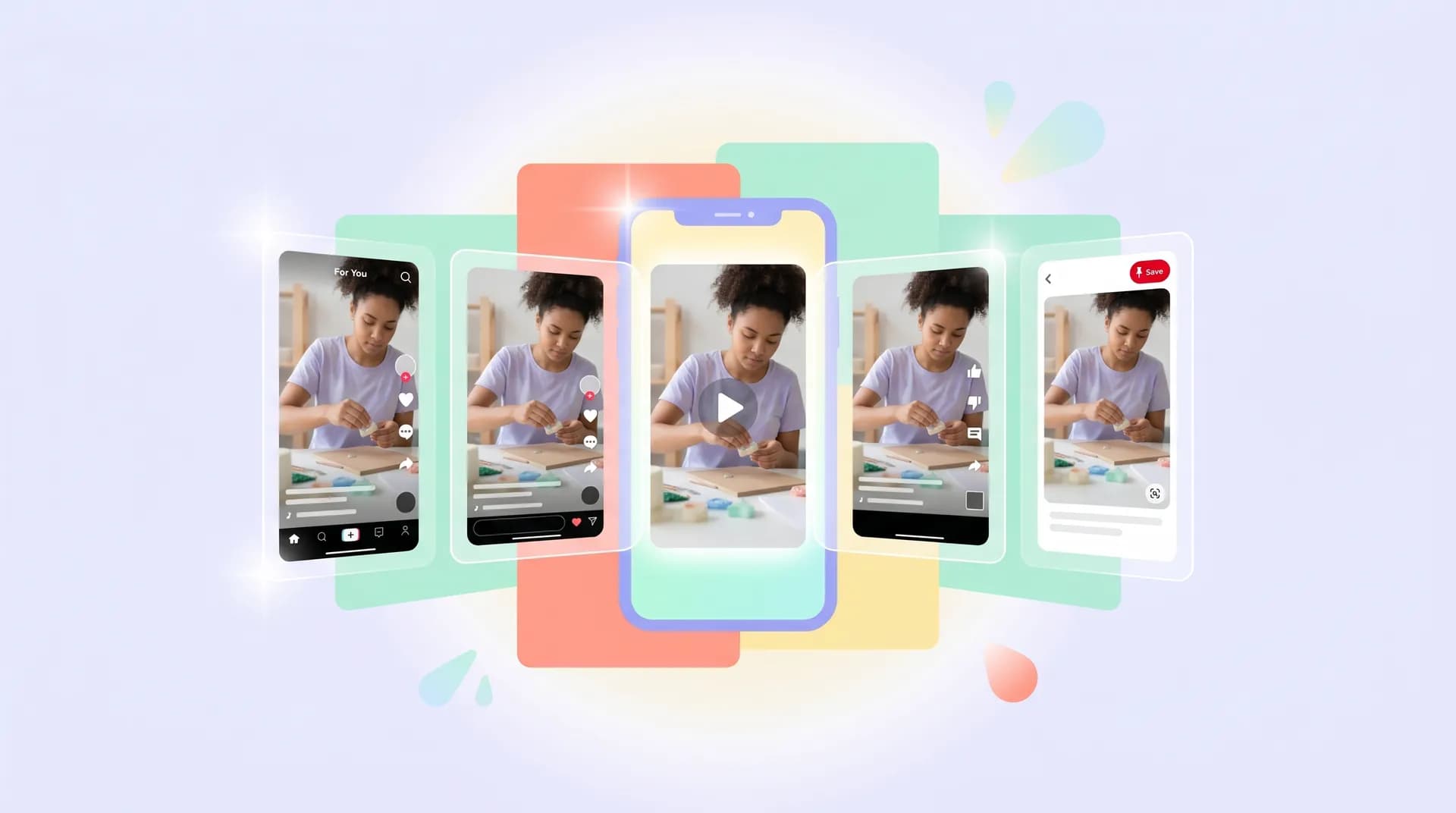
How to repurpose ugc video content for every platform
Learn how to repurpose UGC video content for TikTok, Reels, YouTube Shorts & Pinterest using AI tools — with a step-by-step workflow that saves hours.

I filmed a 60-second skincare routine UGC video for a brand last month. One take, one deliverable — or so the brief said. Within 48 hours, that same clip was live on TikTok, Instagram Reels, YouTube Shorts, and Pinterest. The brand paid for one video. I delivered four platform-ready assets. That's the kind of thing that makes clients renew retainers without you having to ask.
The trick? Learning how to repurpose UGC video content with AI so that what used to take an afternoon now takes about 20 minutes.
This isn't about cutting corners on quality. It's about being smarter with footage you've already worked hard to capture. If you're only delivering one format per shoot, you're leaving money — and visibility — on the table.
Why repurposing ugc video content is a no-brainer in 2026
Every platform has its own personality, and brands know it. TikTok rewards raw, punchy content with sound on. Reels likes that too but skews slightly more polished. YouTube Shorts viewers often watch without audio. Pinterest is an entirely different beast — static or video Pins need to work as standalone discovery content, not just ads.
Brands increasingly understand this. They're running the same creative across all four platforms and tracking which format converts. If you hand them one deliverable, they're still doing that work themselves — or paying another editor to do it. Be the creator who removes that friction, and suddenly your $300 video package looks like a $900 problem solved.
Why brands are shifting budgets from influencers to UGC creators explains this shift in detail, but the short version is: brands want volume and versatility. One creator who can deliver multi-platform assets is worth more than three who can't.
The other reason to care? Your own content. If you're posting spec work to build your portfolio, repurposing that footage across platforms multiplies your discoverability without multiplying your filming time.
The AI-powered step-by-step repurposing workflow
Here's the exact process I run after every UGC shoot. It assumes you've already filmed your hero video at 9:16 (vertical), ideally 1080×1920, which gives you the most flexibility. If you're shooting horizontal for any reason, you'll need to crop carefully — more on that below.
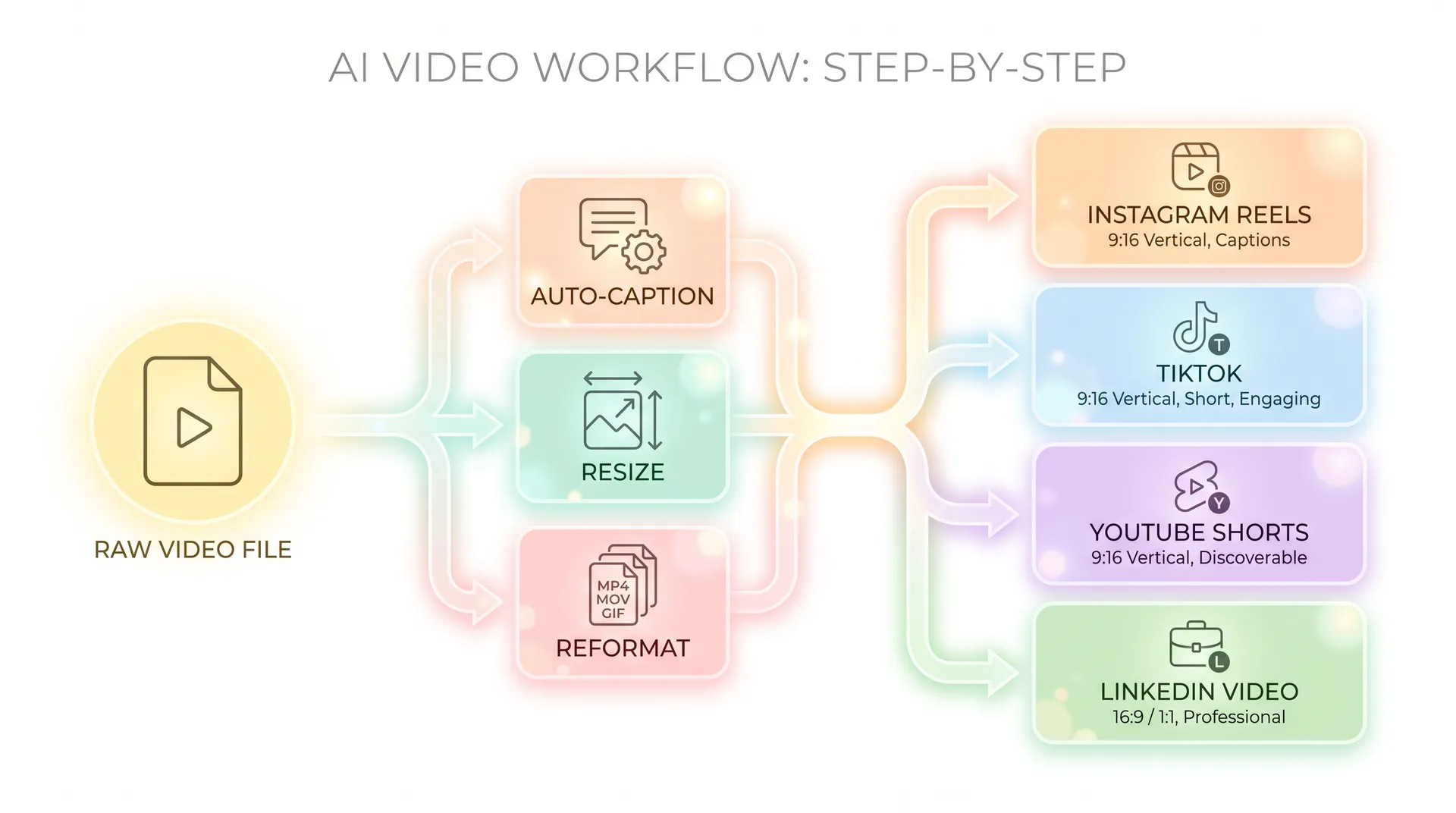
Step 1: Auto-caption with an AI captioning tool
Before you touch aspect ratios, get your captions sorted. This is non-negotiable for YouTube Shorts and Reels where a huge percentage of viewers watch muted — some studies put that figure at over 85% for social video viewed in public spaces.
Tools like Captions.ai, Descript, or CapCut's AI auto-caption feature will transcribe your video in under a minute. What used to take me 15 minutes of manual syncing now takes about 45 seconds.
The AI captions are about 95% accurate for clear speech. Always proofread — I once had a caption that turned "glycolic acid" into "glycolic Ashley," which is funny but not what the skincare brand was going for.
Caption style tip: For TikTok and Reels, keep captions large, centred, and bold — they should be readable on a 4-inch screen. For YouTube Shorts, slightly smaller works because the UI is different. Pinterest video Pins don't support in-video captions the same way, so burn your text into the video itself before uploading.
Step 2: Resize and reformat with an AI video editor
This is where the real time-saving happens. Instead of manually cropping four versions in Premiere or Final Cut, AI tools like Opus Clip, Descript, or Veed.io can handle smart crop and resize automatically.
The specs you need:
- TikTok: 9:16, 1080×1920, up to 60 seconds (or 3 min, but shorter wins)
- Instagram Reels: 9:16, 1080×1920, up to 90 seconds
- YouTube Shorts: 9:16, 1080×1920, under 60 seconds
- Pinterest Video Pins: 9:16 or 2:3 (1000×1500), 15–60 seconds
If you filmed at 9:16 already, TikTok, Reels, and Shorts are essentially the same file with different lengths trimmed. The AI tool handles the trim points. Pinterest's 2:3 option is worth creating as a separate version — it performs better in the feed than full vertical.
Smart crop AI is genuinely good now. Tools like Veed.io and CapCut use face-tracking to keep your face in frame when you reformat, so you don't end up with a cropped-out forehead situation.
Film your hero video with slight headroom above your face and empty space below your chin. This gives AI crop tools room to reframe without cutting anything off when switching aspect ratios. A small habit that saves a ton of manual adjustment later.
Step 3: Tailor hooks for each platform
Same video, same footage — but the opening two seconds can't be identical everywhere. TikTok punishes slow starts brutally. Reels gives you slightly more grace. YouTube Shorts viewers make a decision in the first frame.
Use an AI writing tool to generate platform-specific hook variations from your script. I covered this in depth in how to use AI writing tools for UGC scripts faster, but the short version: paste your original hook into ChatGPT or a dedicated UGC hook generator and ask it to rewrite for each platform's content style.
For Pinterest, your hook is actually the thumbnail text overlay — the Pin title and the first visual frame. That's what gets saved and discovered. Treat it completely differently from your short-form social hooks.
If you want to go deeper on hook craft generally, UGC hooks that stop the scroll and win campaigns is worth bookmarking — especially the scroll-stopping openers that work across formats.
Step 4: Adjust audio and music per platform
TikTok has its own licensed music library — use it when posting organically because it boosts discoverability. But for brand deliverables, you need to supply royalty-free audio or the brand's preferred track, since they'll be running it as paid ads and TikTok's library tracks can't be used in ads.
Reels has the same restriction. YouTube Shorts can use YouTube's audio library. Pinterest pulls from its own licensed library too.
The practical move: export your video with your original audio (voiceover, SFX, no music), then layer platform-appropriate music at posting time — or instruct the brand to do so. For deliverables going to a media buyer who'll run ads, no background music is actually preferred. They'll add their own.
Step 5: Create the Pinterest Pin as a separate asset
Pinterest is not just "TikTok but with recipes." It functions as a visual search engine, and your video Pin needs to be treated that way. A few things I always do differently for Pinterest:
Add text overlays that work without sound — something like "3-step nighttime skincare routine" burned into the first 3 seconds. Pinterest users often don't have sound on and they're in discovery mode, not entertainment mode.
Use a keyword-rich Pin description. Pinterest's algorithm is SEO-driven in a way TikTok and Reels aren't. Write a 100-word description with the actual search terms your target audience would use. AI writing tools are fast at this — feed in your product brief and ask for a Pinterest-optimized description.
Export at 2:3 (1000×1500 pixels) for better feed placement. The taller format takes up more real estate in the Pinterest grid.
Step 6: Build a delivery package brands will love
Don't just dump four files into a Google Drive folder labeled "content." Structure your delivery so the brand can act on it immediately.
My standard package for a 4-platform repurpose looks like this:
/TikTok— trimmed to 45 seconds, captions on/Reels— trimmed to 60 seconds, captions on/Shorts— trimmed to 55 seconds, captions on/Pinterest— 2:3 crop, text overlay, caption file separate- A one-page PDF with copy suggestions for each caption/description field
That PDF takes me about 8 minutes with AI writing tools for UGC scripts. Brands love it. It signals you understand distribution, not just filming.
Which AI tools actually do the heavy lifting
I've tested most of what's available. Here's my honest take on the stack that works for this specific workflow:
Opus Clip — Best for auto-trimming long-form footage into short clips. The AI identifies the most engaging moments and exports platform-sized clips automatically. Not perfect, but it's fast.
Veed.io — My go-to for smart crop + captions in one place. The interface is clean and the auto-reframe is reliable. Free tier has a watermark, but their $18/month plan is worth it if you're doing this at volume.
Descript — Better for creators who also want to edit via transcript (you delete words to delete footage). Great if you script tightly. The AI captions are among the most accurate I've used.
CapCut — Free, fast, and the TikTok native integration is unbeatable. I use it specifically for TikTok deliverables and for quick caption styling. The AI features have improved significantly in the past year.
For a fuller breakdown of every AI tool worth knowing about right now, the best AI tools for UGC creators in 2026 (full guide) covers the entire landscape — including tools for scriptwriting, editing, and hook testing.
If you want to go even deeper on the editing side specifically, AI video editor for UGC: edit faster, deliver more is the companion read.
Always check the brand's brief for platform-specific deliverable specs before you start. Some brands run their own TikTok accounts with pre-set caption templates — they don't want you to add captions at all. Getting specs wrong means a revision round that eats into your profit margin.
How to price multi-platform packages
A single-platform UGC video should not cost the same as four platform-ready assets. Full stop.
Most creators I know who are building out this workflow charge a base rate for the hero video, then add a per-platform repurpose fee. Something like: $300 for the hero 9:16 video, then $75 per additional platform format. That's $525 for four platforms — and you can deliver the whole thing in under two hours once you have the workflow dialled in.
If you're still figuring out your base rates, UGC creator rates: what to charge for videos and photos is the reference to start with.
The key point: once you've filmed and the footage exists, the repurposing work is largely AI-assisted and fast. Your pricing should reflect the value of the deliverables, not your time. Brands are paying for four platform-ready assets, not for 20 minutes of your AI tool usage.
FAQ
Frequently Asked Questions
Can I repurpose UGC content across platforms without permission from the brand?
What's the best AI tool to repurpose UGC video content automatically?
Do TikTok, Reels, and YouTube Shorts all use the same video dimensions?
Should I charge extra to repurpose UGC into multiple platform formats?
How do I make a UGC video work for Pinterest specifically?
How long does it take to repurpose one UGC video into four platform formats using AI?
Related reading
- Best AI tools for UGC creators in 2026 (full guide)
- AI video editor for UGC: edit faster, deliver more
- How to use AI writing tools for UGC scripts faster
- Best AI hook generators for UGC creators (+ how to test them)
- UGC hooks that stop the scroll and win campaigns
- Why brands are shifting budgets from influencers to UGC creators