
How to manage a UGC creator client pipeline
Track leads, active briefs, revisions, and deadlines across multiple brand clients. The practical UGC creator client pipeline system that won't break.

I once missed a revision deadline because I had a client's feedback buried in an Instagram DM, the brief saved in a Google Drive folder I hadn't opened in a week, and the final deadline written on a Post-it that fell behind my desk. One brand. One deliverable. Total chaos. Now multiply that by six concurrent clients and you'll understand why building a proper UGC creator client pipeline isn't optional — it's the difference between running a real business and constantly playing catch-up.
This post is specifically about the operational side: how to track what's coming in, what's in progress, what's waiting on feedback, and what's due tomorrow. If you're still figuring out whether going full-time is even right for you, start with How to go full-time as a UGC creator in 2025 first, then come back here.
The ugc creator client pipeline problem nobody talks about
Everyone wants to talk about rates, hooks, and portfolio pages. Almost nobody talks about what happens operationally when you land five brand deals in the same month.
Here's what I've seen kill momentum for creators who should be thriving:
- Leads fall through because a follow-up never got sent
- A brief gets lost in email, so filming starts without the correct specs
- Two rounds of revisions happen in three different places (email, WhatsApp, Google Doc comments)
- A deadline slips by two days because it wasn't written anywhere visible
Every single one of those is a systems failure, not a talent failure. The content was good. The admin wasn't.
The moment you're juggling more than two active clients, you need a pipeline — a single source of truth for where every deal stands, right now, at a glance.
The five pipeline stages every UGC creator needs
Think of your pipeline as five distinct buckets. Every client, every deal, lives in exactly one of them at any given time.
Stage 1: Lead
Someone has expressed interest — a brand reached out, you applied to a campaign, a previous client referred you. Nothing is signed. Nothing is paid.
What to track here: brand name, contact name, date of first contact, what they're looking for, your quoted rate, and a "follow-up by" date. That last field is the one most creators skip. Without it, leads go cold and you never know why.
Set a rule: if a lead hasn't moved in 7 days and you haven't followed up, it gets a follow-up today. No exceptions.
Stage 2: Negotiation / Contracting
They want to move forward. You're aligning on scope, rate, usage rights, and timeline. Nothing ships until a contract is signed — full stop. If you haven't thought hard about your contract terms yet, read up on UGC contract red flags: 9 clauses to reject or edit before you get here with a real client.
Track: proposed rate, agreed rate, contract sent date, contract signed date, deposit status (if applicable).
Stage 3: Active Brief
Contract is signed. You have a brief — or you're waiting on one. This is the most chaotic stage because it involves the most back-and-forth.
What to track: brief received date, deliverable count (e.g., "3 x 30-sec videos"), script approval status, shoot deadline, and a single notes field for anything weird or brand-specific ("they hate the word 'amazing', always use 'incredible'").
One rule I follow religiously: the brief lives in one place. Not in email. Not in a DM. I copy the key specs into my project tracker the moment a brief arrives and archive the original. If a brand sends revisions to the brief (it happens), I update the tracker entry, not a separate document.
Stage 4: In Review / Revisions
You've submitted content. You're waiting on feedback, or you're working through a round of revisions.
This stage has the most potential for passive time loss. Work gets submitted and then just… sits. You don't chase it. Days pass. The brand comes back with 14 revision notes. You've already mentally closed that job.
Track: submission date, revision round number (1, 2, 3), feedback received date, revision due date. Most contracts allow 1-2 revision rounds — log how many have been used. When a client creeps toward round 3, you have documented evidence to flag the scope creep and negotiate extra pay. Understanding your UGC creator retainer pricing can help you build revision limits into deals from the start.
Stage 5: Delivered / Archived
Final files are sent. Invoice is out. Payment is confirmed. The deal is closed.
Don't delete these. Archive them. A closed deal is your proof of work — for raising rates, for showing a new brand what you've done, and for calculating your real monthly income. I review my archived deals once a month and it directly informs pricing conversations. More on that in How much do full-time UGC creators actually earn?.
What tool should you actually use?
Honest answer: it almost doesn't matter, as long as it's one tool and you actually use it.
That said, here's what I've seen work in practice:
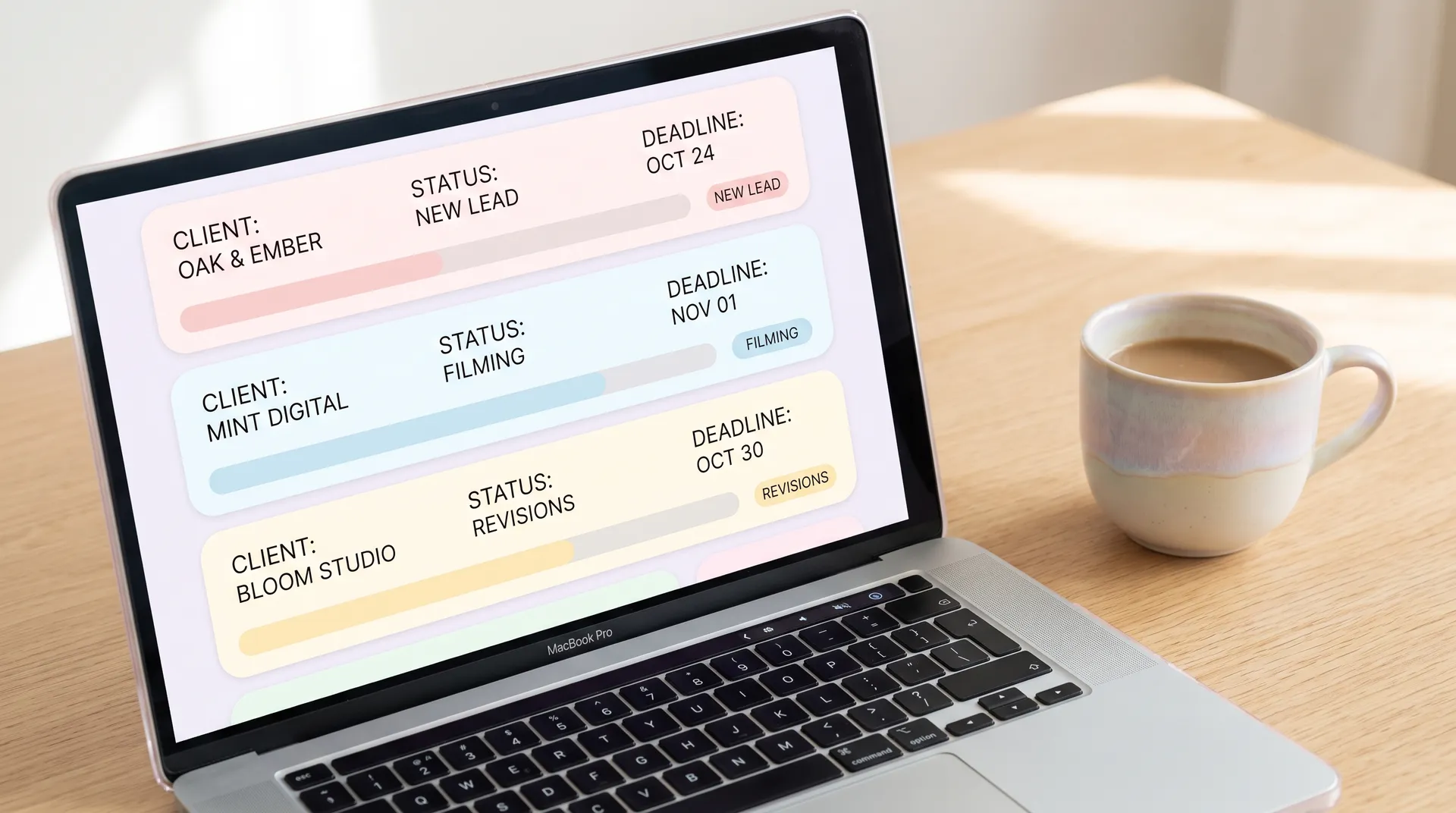
Notion is the most popular choice among full-time UGC creators I've spoken to. A simple database with the five pipeline stages as a board view, custom properties for rate, deadline, and status — it takes maybe 90 minutes to set up properly and works well for solo operators managing up to 10 concurrent clients.
Trello is slightly simpler if databases feel overwhelming. Each card is a client deal. Each column is a pipeline stage. Add a due date and a checklist of deliverables to each card and you're mostly covered.
Airtable is the power-user option. If you want to do things like automatically calculate your monthly projected revenue from active deals, or filter by brand category, or track revision turnaround time per client — Airtable handles all of it without code. More setup time upfront, but the reporting visibility is worth it once you're doing $5k+ months.
A spreadsheet can work at low volume (1-3 clients) but breaks down fast. The problem isn't the spreadsheet itself — it's that most people don't maintain the discipline to update it consistently, because there's no visual nudge like a board view gives you.
What I'd avoid: managing your pipeline entirely through email folders or Instagram DM labels. It feels like a system until you're searching for a brief at 11pm the night before a deadline.
The one-minute daily check-in: Every morning, open your tracker and scan for anything due in the next 48 hours. Update any statuses that changed since yesterday. This takes 60-90 seconds and prevents 90% of dropped-ball moments.
Handling revisions without losing your mind
Revisions are where pipelines collapse. Here's why: most creators treat the revision stage as informal. The brand sends a voice note, you make the change, you re-send the file. No one tracks what was requested, what was changed, or how many rounds have happened.
Then the brand asks for a fourth round of changes. You have no paper trail. You can't prove what was agreed. And you end up absorbing unpaid work because the relationship feels too delicate to push back on.
The fix is simple: all revision requests go through one channel. In your contract (or just in your onboarding email), state that revision requests must be submitted via email or a designated Loom/feedback link. Not DMs. Not voice notes. This creates a record and trains brands to be specific, which actually makes your revisions faster and better.
When you receive revision notes, log them in your tracker. Include the date, the round number, and a brief summary of what was requested. Then when you resubmit, reference the notes in your delivery email: "Hi [name], here are the updated files reflecting your round 2 revisions — specifically the CTA change and the reframing of the problem hook."
Brands notice that level of professionalism. It converts into repeat business and referrals more reliably than any other single habit I've developed.
Separating lead flow from active work
One mistake I made early: I ran leads and active work in the same mental space. I'd be in the middle of filming for a skincare client and suddenly remember I owed a pitch to a supplement brand and hadn't sent their follow-up.
Keep leads and active projects visually separated. In Notion or Airtable, filter your board so you only see Stages 3 and 4 during your "work mode" hours. Dedicate a separate time block — maybe 20 minutes on Monday and Thursday — to work through your leads stage. Send follow-ups, update statuses, move stale leads to an "archived/dead" category.
This is essentially the same GTD (Getting Things Done) principle that freelancers in every industry use — you capture everything in the system so your brain doesn't have to hold it. For UGC creators specifically, it means your creative headspace stays clear for actually making content.
When combined with batching your content production — filming all active deliverables in 1-2 dedicated shoot days per week — the pipeline system compounds your output dramatically. Brands like Later have written about creator workflow systems that echo this approach.
When your pipeline tells you something's wrong
Your pipeline isn't just an admin tool. It's a business health indicator.
If you look at your pipeline and you have six leads but only one active brief, your conversion rate is broken — you're not closing deals. That's a pitch or rate problem, not a delivery problem.
If you have three active briefs but two are stuck in "In Review" for more than 10 days, brands are sitting on feedback and blocking your cash flow. That's a follow-up cadence problem — send a polite nudge at 5 days, every time.
If you have nothing in the Leads stage, you're going to hit a revenue gap in 3-4 weeks. That's your signal to activate outreach now, not when the gap hits you. UGC creator multiple revenue streams covers how retainers and platform deals can smooth out these gaps better than one-off projects.
A healthy pipeline for a full-time UGC creator running $4-8k/month typically looks like: 3-5 leads, 1-2 deals in contracting, 2-4 active briefs, 1-2 in review, and a growing archive of delivered work. Not every month hits that shape, but that's the target.
Pipeline audit: Once a week (Friday works well), spend 10 minutes reviewing every open deal. Ask: what's the next action I need to take on this? Assign that action and a due date. Anything without a next action is just a wish, not a pipeline item.
Treat your pipeline like Asana recommends treating project boards — living documents that need regular maintenance, not static snapshots.