UGC lighting on a budget: natural light vs. ring light vs. LED panel
Compare the 3 best lighting options for UGC creators on a budget. Real costs, quality trade-offs, and setup tips for natural light, ring lights, and LED panels.

I've watched creators spend $300 on a ring light before they've made a single dollar from UGC. I've also watched creators film some of their best-converting content in front of a window at 10am with zero equipment. Lighting is the one production variable that moves the needle the most — and it's also the one where people consistently either overspend or make completely avoidable mistakes.
This post is specifically about building a UGC creator lighting setup on a budget. Not a YouTube studio. Not a podcast booth. A practical, moveable, affordable setup that makes your footage look sharp enough to win brand campaigns.
The three options every UGC creator should know for lighting on a budget
There are really only three setups worth discussing at the beginner-to-intermediate level: natural light, ring lights, and LED panels. Everything else — softboxes, parabolic umbrellas, fresnel kits — is overkill for the kind of 9:16 vertical content you're selling to brands.
Here's how they stack up before we go deep on each one.
| Option | Cost | Portability | Consistency | Best for |
|---|---|---|---|---|
| Natural light | $0 | High (outdoors) / None (indoors) | Low | Lifestyle, outdoor, golden-hour content |
| Ring light | $25–$80 | Medium | High | Talking-head, skincare, close-up product |
| LED panel | $50–$150 | High | Very high | Versatile indoor setups, batch filming |
Option 1: Natural light — free, but it's not passive
Natural light is genuinely the best source of light for UGC when you use it correctly. It's soft, flattering, and reads as authentic on camera — which is exactly what brands buying UGC content want. The problem is that most creators treat it like a passive resource. They just sit wherever and hope for the best.
That's not how it works.
The golden setup: Position yourself facing a window, not beside it or with it behind you. Window light coming directly onto your face creates even, soft fill without harsh shadows. A north-facing window is ideal because it never gets direct sunlight — just consistent diffused daylight. South-facing windows are brutal between 10am and 3pm; the light is too hard and changes fast.
If you're filming lifestyle content outdoors, the hour after sunrise and the 90 minutes before sunset give you that warm, cinematic quality that makes brands want to license your footage. Midday sun is the enemy — it creates downward shadows under your eyes and chin that no color grade fixes.
The honest downsides:
- You can't batch film all day. The light changes every 30–45 minutes. Film a 20-video batch in the morning and the last clips will look nothing like the first ones.
- Cloudy days are actually great for close-up content, but bad for outdoor lifestyle shots that need warmth and drama.
- If your apartment faces east and a brand sends you a brief on a Tuesday at 2pm, you're waiting until the next morning. That's a real constraint.
Natural light is the best starting point and the best free option — but you'll hit its ceiling fast if you're serious about output volume.
Cost: $0
Option 2: Ring lights — the most overhyped tool in UGC
I'll say it plainly: ring lights are overrated for most UGC work.
They became the default "creator setup" recommendation because they're cheap and marketable. But the circular catchlight they put in your eyes — that telltale ring reflection — has become a visual cue for "influencer content" rather than "authentic user content." That distinction matters when you're trying to sell footage that brands want to run as paid ads.
That said, ring lights aren't useless. They're genuinely good in specific scenarios.
Where a ring light actually works:
- Skincare and beauty content where a centered, even light source flatters the skin and the circular catchlight is on-brand
- Close-up product demos where you need even illumination without directional shadows
- Rooms with terrible ambient light and zero workable windows
Where ring lights fail:
- Interview-style or testimonial UGC — the flat, frontal light looks unnatural and gives skin a washed-out quality
- Any shot wider than a medium close-up, because the ring can't throw enough light to fill a frame properly
- Filming on the move — most ring lights are bulky and annoying to reposition mid-session
What to buy if you do go ring light: Don't spend more than $45–$60. The Neewer 10-inch LED ring light is the standard budget option and does what you need. Anything above $80 is diminishing returns unless you're buying a large 18-inch unit for a dedicated setup.
The key adjustment most creators miss: don't place the ring light flat in front of your face. Angle it slightly above eye level and tilt it down 15 degrees. That alone removes the flat, harsh look and creates a more natural highlight.
Cost: $25–$80
Option 3: LED panels — the one I'd actually recommend
If I were starting from zero today and had $80–$120 to spend on lighting, I'd skip the ring light entirely and buy a bi-color LED panel. Full stop.
Here's why.
A good LED panel gives you control that a ring light simply doesn't. You can adjust color temperature (usually 3200K–5600K) to match whatever ambient light exists in your filming space, which means your clips won't have that orange-vs-blue color clash that screams "I didn't think about my lighting." You can also position it off-axis to create directional light — the kind that adds a little depth and dimension to your face rather than flattening it.
The Elgato Key Light Mini ($99) and the Viltrox VL-200T (~$60–$75) are two I'd actually recommend. The Viltrox in particular is a workhorse — creators use it for everything from desk setups to handheld filming while walking.
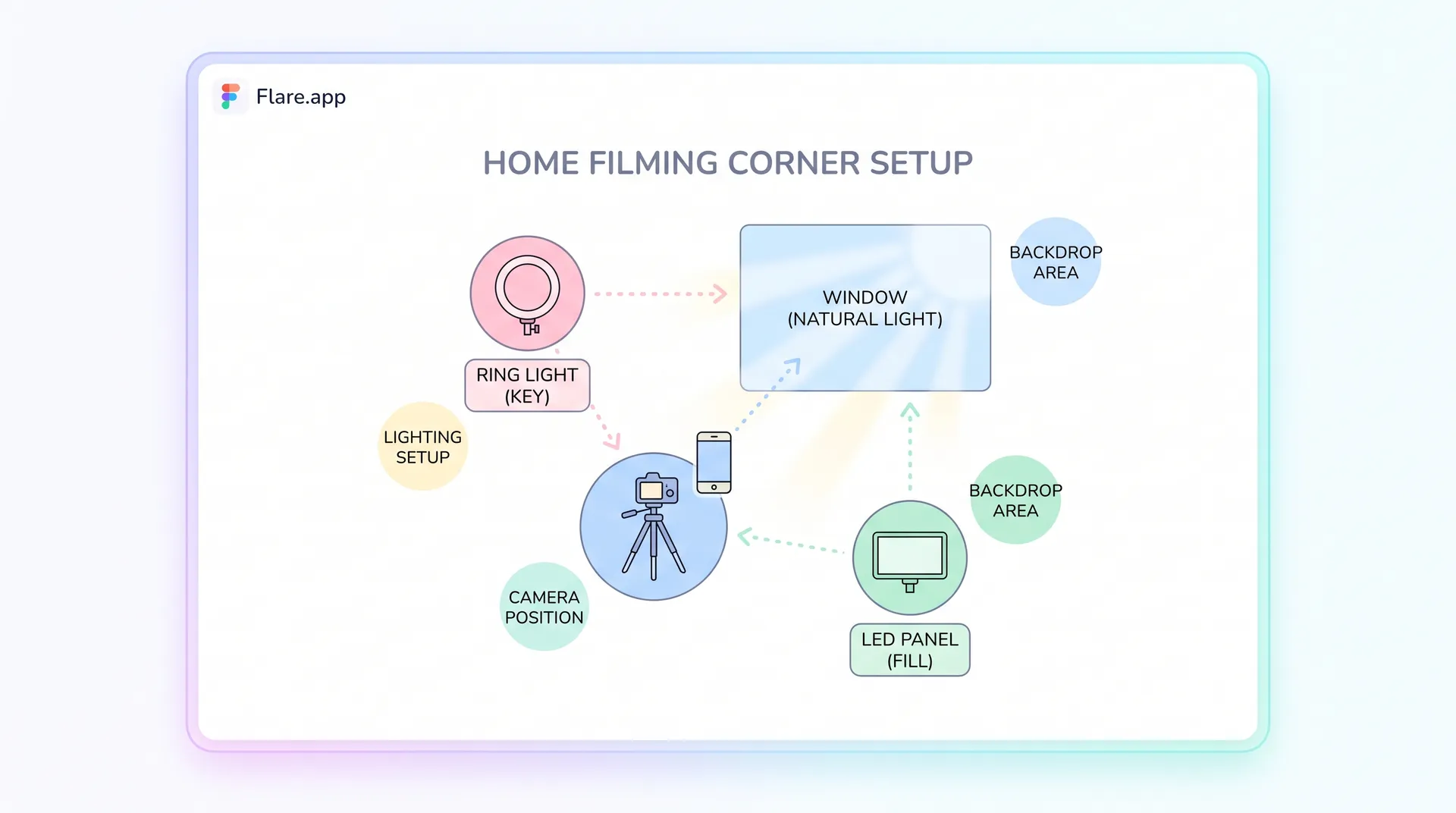
The two-panel trick for $120: Buy two cheap LED panels instead of one mid-range one. Set one as your key light (primary source, slightly off to one side, angled down) and the second as your fill light on the opposite side at lower intensity. This is a basic two-point lighting setup and it eliminates harsh shadows without looking artificial. The footage genuinely looks like it was filmed with intention — which is exactly what a brand reviewing your deliverable wants to see.
Quick setup tip: For the two-panel setup, set your key light at 100% brightness and your fill light at 40–50%. The ratio is what creates dimension. Both lights at 100% just recreates the flat look of a ring light.
LED panels also solve the batching problem that natural light creates. You can film 15 videos back-to-back at 7pm on a Wednesday and the lighting will be identical across every clip. Consistency across a batch of deliverables is one of those small things that makes brands want to rebook you. If you're serious about the production side — and if you've read our full guide on how to film UGC content that converts, you already know how much the technical fundamentals matter — LED panels are the right investment.
Cost: $50–$150 (or ~$120 for a two-panel setup)
How to choose based on your actual situation
Don't let perfect be the enemy of good. Here's the honest breakdown by scenario:
You have zero budget: Master natural light. Face the window. Film between 8–11am or 2–5pm. Tape a white piece of foam board on the opposite side of your face to bounce light back in. That setup costs $3 and produces footage that absolutely wins brand campaigns. Many of the best-converting UGC videos I've seen were filmed exactly like this.
You have $40–$60: Buy a single LED panel, not a ring light. Position it as a key light, angle it slightly above eye level and off to one side, and use a white wall or foam board as a fill bounce. Done.
You have $100–$150: Two LED panels. Key and fill. Adjust color temperature to match your space. This is genuinely a professional-quality lighting setup for the kind of 9:16 vertical content you're delivering.
You're filming on location: Natural light plus a small pocket LED panel (the Lume Cube Panel Mini at ~$80 is excellent for this) gives you the flexibility to handle any environment. Don't haul a ring light to a coffee shop.
One thing worth reinforcing: lighting is only as good as the rest of your setup. Great light on a poorly framed shot with a cluttered background still looks bad. The hooks you open with, the script framework, the background — all of it works together. Check out our posts on UGC video hooks and the Problem-Agitate-Solve script framework if you want to level up everything around your lighting simultaneously.
The color temperature mistake that ruins otherwise great footage
This is the single most common technical error I see in UGC submissions, and nobody talks about it.
Your phone's white balance automatically tries to "correct" whatever light source it sees. If you're using an LED panel set to 5600K (daylight) in a room with warm tungsten overhead lights at 2700K, your phone is averaging the two — and the result is footage with a muddy, inconsistent color cast that no amount of editing fixes cleanly.
The fix is simple: turn off all other light sources when you're filming with artificial lighting. Overhead room lights off. Lamp behind you off. Only your key and fill lights should be active. This gives you full control over color temperature, and your footage will grade cleanly if you need to do any color correction in post.
If you're filming with natural light, turn off every artificial light in the room for the same reason. Mixed light sources are the silent killer of otherwise decent footage.
For deeper reference on how pros handle this, ARRI's guide to color temperature basics is worth 10 minutes of your time even if you're filming on a phone.