
App Marketing Audience Testing: Test Problems, Not Ads
App marketing audience testing means isolating user problems before scaling spend. Here's how I structure small creative tests that actually find signal.

Most app marketers test ads. I test problems. That distinction cost me about $40,000 before I figured it out.
Here's what used to happen on my team: we'd brief five creators, get back fifteen videos, run them all against our "core audience," and declare a winner based on CPI. Then we'd scale the winner, watch it decay in eight days, and wonder why. The answer was embarrassingly simple — we never actually knew which problem that winning video solved, or for whom. We just knew it worked, in aggregate, against a blended audience that didn't exist anywhere outside our ad manager.
App marketing audience testing done right isn't about finding a winning hook. It's about finding which user problem, framed for which specific segment, earns a swipe-up instead of a scroll-past. Get that right and your creative testing stops being a slot machine and starts being a map.
Why app marketing audience testing beats generic hook testing
Generic hook testing asks "which video performs best?" That's the wrong first question. The right first question is "which problem are we even solving, and for whom?"
Think about a budgeting app. It might serve a college student trying to stop overdrafting, a freelancer trying to track irregular income, and a couple trying to save for a house. Those are three completely different emotional entry points. A video that nails "stop the overdraft panic" will bomb with the couple saving for a house — not because the editing is bad, but because the problem doesn't match their life.
When you test generically, you blend all three audiences into one campaign and let the algorithm sort it out. Sometimes it does. More often, you get a mediocre average — a creative that doesn't repel anyone but doesn't obsess anyone either. Mediocre doesn't scale. It just burns budget slowly instead of fast.
I wrote about the mechanics of structuring these tests — budgets, timelines, statistical significance — in our full guide to mobile app marketing with creator content. This post is about the layer before that: deciding what's actually worth testing in the first place.
The segment-problem matrix
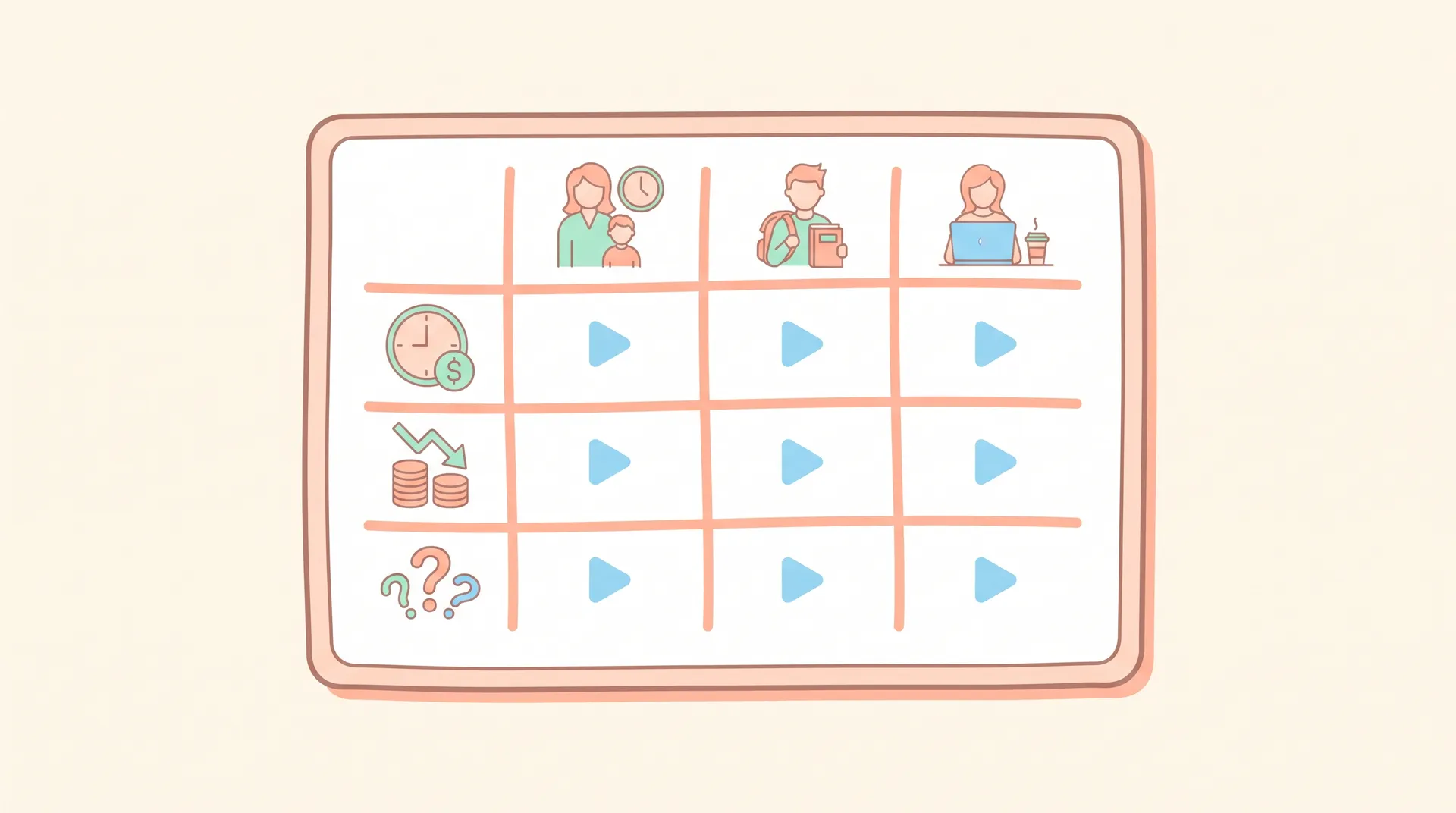
Before you brief a single creator, build a simple grid. Rows are user segments. Columns are problems your app solves. Each cell is a potential creative angle.
For that budgeting app, it might look like:
- Student x overdraft anxiety
- Student x "I have no idea where my money goes"
- Freelancer x irregular income stress
- Freelancer x tax season dread
- Couple x shared savings goals
- Couple x "we keep fighting about money"
Six cells, six distinct creative hypotheses. You're not testing "does this app look good" — you're testing "does this specific pairing of person and pain resonate enough to stop a scroll."
Most teams skip this step because it feels slow. It's not. It takes an hour with a whiteboard or a spreadsheet, and it saves you from briefing creators on vague concepts like "show the app is easy to use," which produces generic UGC that nobody can diagnose later.
Structuring small tests before you scale spend
Here's the actual process I run, and it's deliberately cheap.
Step 1: Pick 3-4 cells, not all of them. You can't test everything at once with a reasonable budget. Rank your matrix by how confident you are in the problem's severity and how distinct the segment is from your existing users. Start there.
Step 2: Brief one creator per cell, one script each. Not five variations of the same angle — one tight script per problem-segment pair. The goal here isn't creative polish, it's signal on the concept. If the concept doesn't land, no amount of editing saves it.
Step 3: Run each ad against its matching segment only. This is the part teams get wrong constantly. If you built an ad around freelancer tax dread, don't run it broad. Target it at an audience that actually looks like freelancers — interest stacks, lookalikes off a freelancer customer list, whatever signal you have. Testing a segment-specific creative against a broad audience tells you nothing about the segment.
Step 4: Cap spend and set a short clock. $50-100 per cell per day, three to five days. You're not optimizing yet. You're triaging. Which problems have legs, and which ones can you kill fast?
Step 5: Compare within-cell, not across the whole set. Don't just rank all twelve videos by CTR and pick the top three. Ask: did the freelancer-tax video beat other attempts at reaching freelancers? Did the student-overdraft video outperform other student-facing creative? You're looking for the best angle per segment, not a universal champion, because a universal champion for this kind of test usually doesn't exist.
Tag every test creative with its segment and problem in your ad naming convention — something like seg_freelancer_prob_taxdread_v1. Six months from now when you're digging through a reporting dashboard, you'll thank yourself.
If you haven't recruited creators who genuinely fit these segments yet, that's worth fixing before you run a single test. A 19-year-old creator reading a script about freelance tax dread looks exactly like what it is — an actor reading a script. I go deeper on sourcing the right people in how to recruit creators who actually use your app.
Reading results without fooling yourself
Small-budget tests produce noisy data. That's fine, as long as you're honest about it.
A $300 test with 40,000 impressions isn't statistically robust. It's a vibe check with numbers attached. What you're looking for isn't precision — it's a gap. If one cell's hook rate is 25% higher than the rest and its thumb-stop ratio holds up across the test window, that's worth a second round of spend. If everything performs within a point or two of each other, you probably haven't found a real problem yet — you've found variations on the same mushy concept.
One thing I've learned the hard way: watch retention on the landing experience, not just the ad metrics. A segment-specific hook that gets an 8% CTR but a 2% install rate is lying to you about something — usually that the app store listing doesn't follow through on the promise the creative made. If your screenshots and preview video are built for a generic audience while your ad is hyper-specific to freelancers, you've created a mismatch that tanks conversion right at the finish line. I cover fixing that handoff in app store listing optimization to match your creator ads.
When to kill a segment entirely
Sometimes the test tells you the segment itself is wrong, not just the creative. If you've run three different angles at freelancers and none of them move past baseline CTR, stop blaming the script. Either freelancers don't actually feel that pain as sharply as you assumed, or they don't trust an app to solve it. Either way, that's information. Move your next round of testing dollars to a segment that showed any spark, even a small one.
I've killed entire "obvious" segments this way. We were convinced new parents would be a slam-dunk audience for a sleep-tracking feature in one app I worked with. Three creative angles, three flops. Turned out new parents were too exhausted to even evaluate a new app — the better segment was people preparing for a baby, who had bandwidth and anxiety in equal measure. We'd never have found that without testing the segment itself as a variable, not just the ad copy.
A failed test isn't wasted spend if it changes your targeting. The expensive mistake is scaling a mediocre creative against the wrong audience for months because nobody isolated the variable.
Turning a winning cell into a real campaign
Once a problem-segment pair shows real signal, don't just duplicate the ad and crank the budget. Build it out properly.
Get 2-3 more creators who fit that same segment to shoot variations on the winning angle — different hooks, same core problem. This tells you whether the win was about the problem (durable) or the specific creator's delivery (not durable, and about to fatigue fast once you scale).
Match your onboarding to the promise. If your winning ad is about freelance income tracking, make sure the first thing a freelancer sees after install reinforces that exact value, not a generic feature tour. We've written specifically about nailing that first moment in app onboarding video brief: script the first useful moment — it's the single biggest lever for turning a good test into a good LTV number instead of just a good install number.
And keep testing adjacent problems within the winning segment. If "overdraft anxiety" worked for students, "friend group spending pressure" or "subscription creep" might be adjacent angles worth a quick $50 test before you assume you've found the only story that segment cares about.
FAQ
Frequently Asked Questions
What is audience testing in app marketing?
How much budget do I need to test an app marketing audience?
How many audience segments should I test at once?
How is audience testing different from general ad A/B testing?
What metrics matter most in an early-stage audience test?
When should I stop testing a segment and move on?
Related reading
- Mobile app marketing with creator content: the full guide
- How to Recruit Creators Who Actually Use Your App
- App Store Listing Optimization: Match Your Creator Ads
- App Onboarding Video Brief: Script the First Useful Moment
- App Benefits Video Script: Sell Outcomes, Not Features
- Organic Creator Content vs App Install Ads: What Converts
For more on the testing mechanics referenced above — significance thresholds, budget pacing, and how long to let a test run — see Meta's guidance on A/B testing, Google's app campaign best practices, and Sensor Tower's research on creative fatigue cycles.