
Landing Page Video Thumbnail: Win Visitors Who Never Click Play
Most visitors never press play. Here's how to pick a landing page video thumbnail that sells your SaaS promise on its own, frame by frame.

Here's a number that should bother you: on most SaaS landing pages, fewer than 15% of visitors actually press play on the hero video. The other 85% just look at the frozen frame, make a snap judgment, and either keep scrolling or bounce. That frame is doing more selling than your video ever will for most of your traffic.
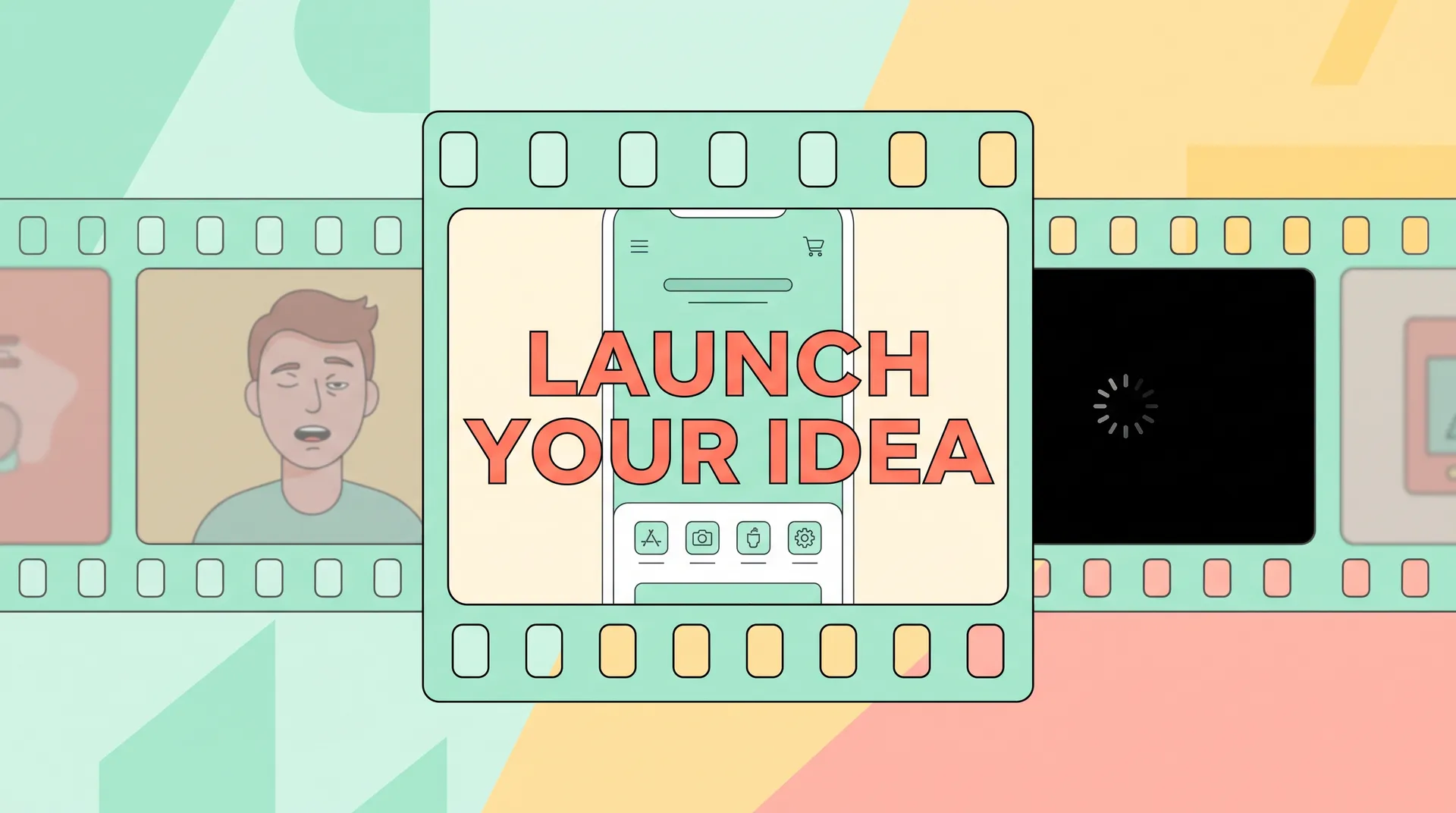
I learned this the hard way at Flare. We spent two weeks nailing a 45-second product video for the homepage — good lighting, tight script, clean edit. Conversion barely moved. Then I swapped the thumbnail from an auto-generated frame (some guy mid-blink, awkward mouth shape) to a crisp screenshot of the dashboard with a one-line value prop baked in. Signups from that page jumped almost 20% in the next two weeks. Nobody watched more video. They just saw something better before deciding whether to bother.
Why your landing page video thumbnail matters more than the video
Most people treat the thumbnail as an afterthought — whatever frame the video player grabs by default, usually somewhere around the 1-second mark. That's a mistake, and it's an easy one to fix.
Think about what a thumbnail actually is on a SaaS page: it's a static ad for your video, and your video is itself an ad for your product. If the ad for the ad doesn't land, nothing downstream matters. The visitor's brain processes that frame in under a second — faster than they read your headline, usually. Eye-tracking research from Nielsen Norman Group shows people scan above-the-fold content in an F-pattern, and a big video block sitting near the top grabs a disproportionate share of that initial glance. You get one shot at that glance.
This matters even more now that autoplay is mostly dead on mobile browsers and muted-by-default is the norm everywhere else. Chrome, Safari, and most ad platforms restrict autoplay with sound specifically to stop sites from hijacking attention — which means your thumbnail isn't a bonus, it's the primary creative asset for a huge chunk of your traffic. I'd argue it's more important than three of your four headline variants combined.
The three failure modes I see constantly
The mid-blink default frame. This is the one everyone ships by accident. Your video player grabs whatever's at the 1-second or 3-second mark, and nine times out of ten that's a transition, a blink, or a half-formed word. It looks broken, not polished.
The generic stock-photo vibe. A smiling founder pointing at a laptop, arms crossed in a hoodie, the works. It screams "marketing video" instead of "real software," and visitors have learned to tune that out. I've tested this directly — thumbnails that look like stock photography get fewer plays and fewer conversions than thumbnails that look like actual product UI.
The black screen with a play button. Technically safe, zero information. You're asking someone to take a leap of faith on a video that could be 10 seconds or 10 minutes, about anything. Nobody takes that bet on a cold visit.
What actually works: treat the frame like a headline
The best opening frames I've seen do one of three things, and the strongest ones do two at once.
Show the product mid-use. A real screenshot of your dashboard, mid-workflow, with actual data (or realistic demo data) visible. Not a logo screen. Not a loading spinner. The thing itself, doing the thing it does. If you're building a SaaS and you haven't figured out how to get your demo environment looking camera-ready, that's worth fixing before you even touch the thumbnail — I wrote a full breakdown on recording readable screen footage for a SaaS demo that covers resolution, zoom levels, and cursor behavior that also apply directly to picking a frame.
Bake in a text overlay with the core promise. A short line — five to eight words — layered over the frame. "See your reports in 10 seconds." "No spreadsheets. Ever again." This does double duty: it works as a headline for skimmers and as a caption for anyone watching muted. Muted-by-default is now the default state for autoplaying video on most platforms, and even click-to-play video gets watched without sound more often than you'd think.
Use a human face only if it's doing something specific. A founder or customer mid-sentence, clearly reacting to something, caught in a moment that implies a story is happening. Not posed. Not smiling at the camera for no reason. If the face looks like it's about to say something interesting, people click play to find out what.
Pull your thumbnail from inside the first 15 seconds of actual footage whenever you can, then add a light text overlay in post. Frankenstein composites (a screenshot glued onto a different background) tend to look fake under scrutiny, and sharp-eyed SaaS buyers notice.
A simple process for picking the right frame
I run every thumbnail decision through the same four steps now, and it's saved me from shipping a lot of bad ones.
- Scrub the full video at 2x speed and screenshot every moment where something changes on screen — a new UI state, a number updating, a clear facial expression. You want 8-10 candidates minimum.
- Kill anything mid-motion. Blurry hands, half-formed mouths, transitional UI states. If it looks like a mistake, it is one.
- Test the frame with the sound off and the video stopped. Can a stranger guess what your product does just from that image? If not, it fails.
- Add text only if the frame needs help. A strong UI shot sometimes doesn't need an overlay. A talking-head frame almost always does.
This isn't a one-and-done task either. I revisit thumbnails every time we update the underlying video, and honestly every quarter regardless — what reads as "fresh UI" in January can look dated by June if your product ships new features fast.
Matching the thumbnail to the rest of the page
A great thumbnail that contradicts your headline is worse than a mediocre one that matches it. If your H1 says "Cut reporting time by 80%" and your opening frame shows a vague team-high-fiving stock vibe, you've created a mismatch the visitor has to resolve themselves — and most won't bother. This is the same message-match problem I cover in more depth in why SaaS landing page examples fail: every element above the fold needs to reinforce one single promise, not introduce a second one.
The thumbnail, headline, and subhead should all be saying some version of the same sentence in different words. If your thumbnail is a dashboard screenshot and your headline is about saving time, show the dashboard mid-task, not mid-login-screen. Specificity compounds.
This also ties back to where you're sending traffic in the first place. If visitors are coming from a demo-request ad, the thumbnail should hint at the depth of the product. If they're coming from a free-trial ad, the thumbnail should hint at how fast they'll get value — which connects directly to the broader question of trial signup vs. demo request page goals, since the thumbnail is one of the clearest early signals about which path you're steering someone toward.
And positioning matters just as much as the frame itself — a perfect thumbnail buried below three paragraphs of copy won't get seen. I go deeper on that in where to place video on your SaaS landing page.
Don't let your video platform auto-rotate thumbnails for "freshness" or A/B testing without your review. I've seen Wistia and Vidyard defaults silently swap in a worse frame after a re-upload. Check it after every video update, no exceptions.
What to test once you've shipped a frame
Once you've got a thumbnail you're confident in, don't assume it's done. Run it through the same testing discipline you'd apply to a headline or CTA button.
- Play-rate, not just conversion rate. If play-rate goes up but conversion stays flat, your thumbnail is doing its job pulling attention, but the video itself isn't closing. Different problem, different fix.
- Scroll depth after the thumbnail. If people see the frame and immediately scroll past without playing, check whether the frame is giving away too little — or paradoxically, too much. Some products benefit from a little mystery.
- Device split. Mobile thumbnails get cropped differently than desktop. A text overlay positioned safely on desktop might get clipped on a 9:16 mobile viewport. Check both.
If you're still deciding what style of video to even put behind that thumbnail — founder-led, demo screen capture, or customer testimonial — that decision happens earlier in the process and shapes what frame options you'll even have available. I broke down how to choose between demo, founder, and testimonial video for exactly this reason: the format you shoot determines the thumbnails you can pull.
None of this works in isolation, either. A thumbnail is one piece of a page that needs the promise, the video, and the call to action all pointing the same direction — which is the whole argument I make in SaaS landing page conversion: matching promise, video, CTA. Get the frame right and you've bought yourself a few extra seconds of attention. What you do with those seconds is the rest of the job.
FAQ
Frequently Asked Questions
What should a landing page video thumbnail show?
Does the video thumbnail actually affect conversion rate?
Should I use a human face or product screenshot as the thumbnail?
How often should I update my video thumbnail?
Can I just use the video platform's auto-generated thumbnail?
Should the thumbnail include text overlay?
Related reading
- SaaS landing page conversion: matching promise, video, CTA
- Trial Signup vs Demo Request: SaaS Landing Page Best Practices
- Demo vs Founder vs Testimonial Video Landing Page Picks
- Message Match: Why Your SaaS Landing Page Examples Fail
- Where to Place Video on Your SaaS Landing Page Design
- How to Record Readable Screen Footage for a SaaS Demo