SaaS Demo Video Length: Matching Pacing to Buyer Stage
The right SaaS demo video length depends on funnel stage, not a magic number. Here's how to match runtime and pacing to where your viewer actually is.

I've watched founders kill good demo videos by asking the wrong question. They ask "how long should our SaaS demo video be?" like there's one correct answer sitting in a Wistia benchmark report. There isn't. A 90-second demo and an 8-minute demo can both convert like crazy — it just depends entirely on who's watching and why they clicked play.
Saas demo video length isn't a style choice. It's a funnel decision. Get it wrong and you'll lose a cold visitor to boredom in the first 20 seconds, or lose a serious evaluator who needed 10 more seconds of proof and didn't get it.
Why saas demo video length is really a funnel question
Here's the mistake I see constantly: a company makes one demo video, puts it everywhere — homepage, ads, sales decks, YouTube — and wonders why conversion is mediocre across the board.
A cold visitor from a Facebook ad and a prospect who booked a sales call are not the same person watching the same video for the same reason. One is deciding whether to keep scrolling. The other already wants to buy and needs confirmation. Treating them identically is why so many demo videos underperform even when the production quality is great.
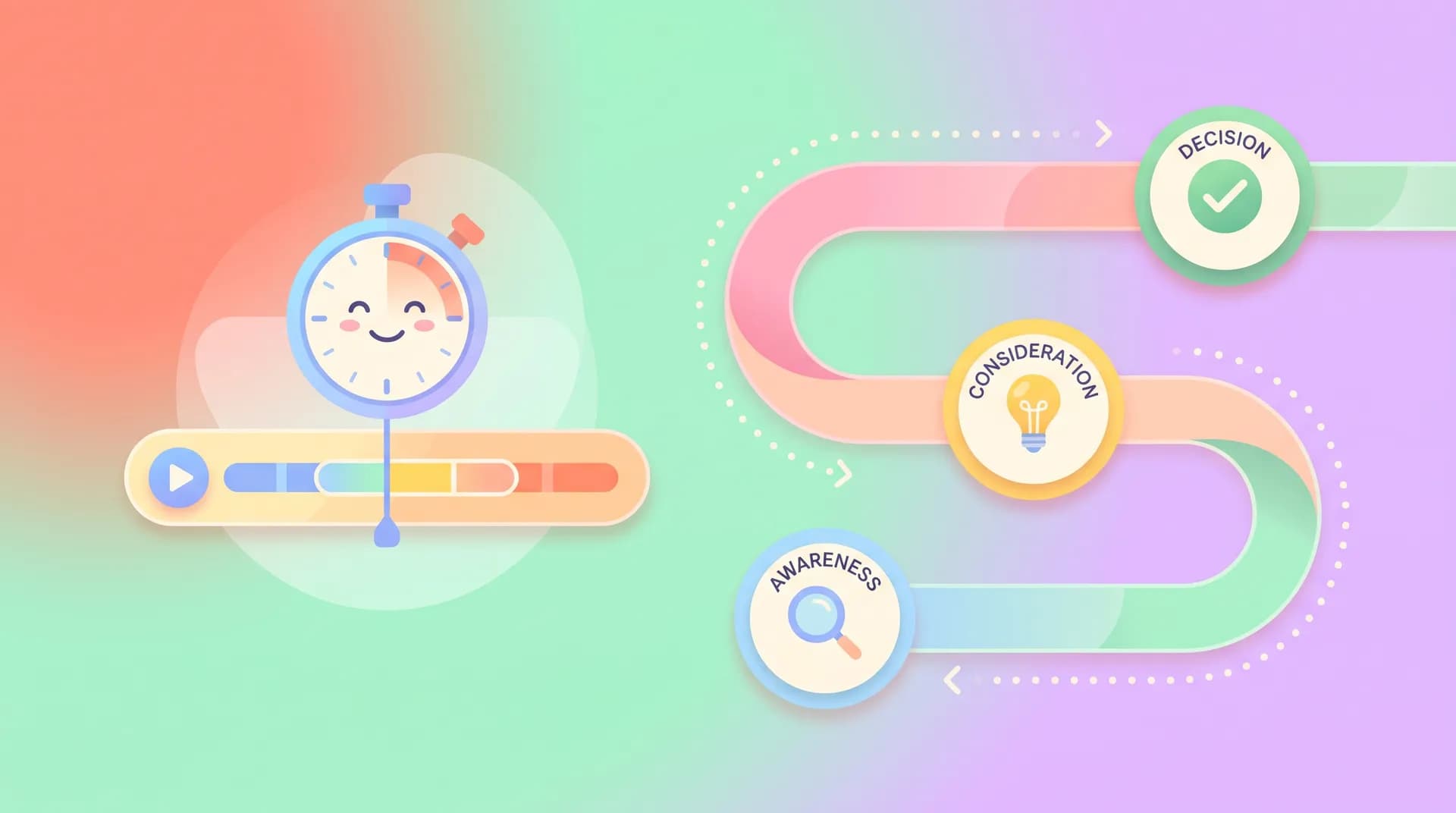
I think about it in three buckets, mapped to classic funnel stages:
- Top of funnel (cold, paid social, homepage hero): 30–60 seconds. The goal is curiosity and a single "oh, that's exactly my problem" moment.
- Middle of funnel (landing page, retargeting, blog embeds): 90 seconds to 3 minutes. The goal is "I can see myself using this."
- Bottom of funnel (sales follow-up, trial nurture, pricing page): 3–8 minutes. The goal is removing the last objections before they sign.
Notice the pattern: length should increase as intent increases. That's the whole framework. Everything else is execution detail.
The homepage hero video trap
Most SaaS homepages have a hero video that's 2-3 minutes long, trying to explain the whole product. That's backwards. Someone who just landed on your homepage from an ad doesn't know if they trust you yet. They're not going to invest 3 minutes based on vibes.
I'd rather see a 45-second hero clip that shows one sharp "before/after" moment, with a clear path to a longer video for people who want more. Save the depth for people who've already raised their hand.
This connects directly to something I wrote about in SaaS Demo Video: Pick One Workflow and One Outcome — the discipline of picking one thing to show isn't just about clarity, it's what makes short runtimes even possible. You can't compress five features into 45 seconds without it feeling like a trailer for a different, better product.
Pacing matters more than raw runtime
Two videos can both be 90 seconds and feel completely different. One moves fast — cuts every 2-3 seconds, zero dead air, captions doing half the explaining. The other lingers on a slow mouse movement across a dashboard for 8 seconds straight. Viewers bail on the second one way before the timer runs out.
Pacing is really about cut frequency and information density per second, not just total length. For top-of-funnel content, I aim for a new visual beat every 2-4 seconds. That sounds aggressive, but attention spans on cold traffic are brutal — Wistia's own video engagement research has shown engagement dropping sharply after the first 60-90 seconds for most video types, and it's worse for unfamiliar brands.
For bottom-of-funnel content, you can slow down. A prospect who's three days from a buying decision will happily sit through a 6-second static shot of a settings screen if it answers a question they've been quietly worried about. They're not bored — they're taking notes.
A simple pacing test
Before you publish, watch your demo video muted. If you can't tell what's happening on screen every 3-4 seconds without sound, your pacing is too slow for anything meant for cold traffic. This is a dumb-simple test but it catches 90% of pacing problems I see in first drafts.
If you're building out screen capture for this kind of video, the pacing problem usually starts at the recording stage, not editing. I go deeper on this in How to Record Readable Screen Footage for a SaaS Demo — slow, jittery cursor movement during capture is almost impossible to fix cleanly in post.

Matching length to format, not just funnel stage
Funnel stage sets the ceiling on length. Format sets the floor. A few examples from projects I've worked on:
Screen-only walkthroughs can run a little longer than presenter-led videos at the same funnel stage, because viewers are actively following a workflow rather than watching a person talk. If you're deciding between formats, I broke down the tradeoffs in Software Demo Video With Presenter: When It Beats Screen-Only — short version: presenter videos build trust faster but screen-only videos can sustain attention longer when the workflow itself is the hook.
Feature-specific demos (the kind you link from a help doc or send mid-sales-cycle) should be short regardless of funnel stage — 60-90 seconds, one feature, done. Nobody wants a 5-minute video to learn how CSV export works.
Full product overviews for bottom-of-funnel nurture sequences can legitimately run 6-8 minutes if they're structured as chapters. The key word is structured — give viewers a way to see what's covered and skip ahead, the way YouTube chapters work. Vidyard's benchmark data on B2B video has consistently shown that longer videos with clear structure retain viewers far better than long videos without it.
If you're still deciding on the broader approach for the format itself — demo vs. explainer vs. tutorial — that decision happens before you even get to length. Worth sorting first; see Software Demo Video vs Explainer vs Tutorial: Pick Right.
Rule of thumb I use with clients: multiply your funnel stage number by itself. Top of funnel = 1 idea, roughly 1 minute. Middle = maybe 2-3 ideas, 2-3 minutes. Bottom = full picture, up to 8 minutes, but only if it's chaptered.
What actually kills demo videos at any length
It's never really about the clock. It's almost always one of these three things:
- No hook in the first 5 seconds. Doesn't matter if your video is 40 seconds or 4 minutes — if the opening doesn't signal relevance immediately, people are gone before pacing even becomes a factor.
- Scope creep mid-edit. You planned a 90-second demo, then someone on the team insisted you add "just one more feature," and now it's 3 minutes of diluted attention. This is a scripting discipline problem more than an editing one — I wrote about fixing it at the source in How to Write a Software Demo Script That Shows Real Value.
- No CTA matched to the stage. A top-of-funnel video ending with "book a demo" is too big an ask. A bottom-of-funnel video ending with "learn more" is too small. Mismatched CTAs waste all the attention you just earned.
Don't let your sales team's favorite demo video become the only demo video. The clip that closes deals on a call is often the worst choice for a cold homepage visitor — it's usually too long, too detailed, and assumes context a stranger doesn't have yet.
Building this into your production process
None of this works as a one-off decision made in the edit bay. You need to know your funnel stage and intended placement before you write the script, not after you've shot the footage and are trying to figure out what to cut.
That's the broader planning problem, and it's exactly what I cover in How to Plan and Produce a SaaS Demo Video That Sells — mapping video length and structure to the buying journey before a single frame gets recorded. If you're only fixing length after the fact, you're always going to be trimming good footage instead of shooting the right footage.
One more practical note: if your product has a messy or sparse demo environment, pacing problems multiply. Dead screens and empty states force you to either pad the video with narration or cut awkwardly. Setting up clean demo account and sample data before you shoot saves you from having to compensate for it with editing tricks later.
FAQ
Frequently Asked Questions
How long should a SaaS demo video be?
What's the ideal length for a homepage demo video?
Should every demo video be short to match attention spans?
How do I know if my demo video's pacing is too slow?
Does video length affect SaaS demo conversion rates?
Can one demo video work for the entire funnel?
Related reading
- How to Plan and Produce a SaaS Demo Video That Sells
- SaaS Demo Video: Pick One Workflow and One Outcome
- Software Demo Video With Presenter: When It Beats Screen-Only
- Software Demo Video vs Explainer vs Tutorial: Pick Right
- How to Write a Software Demo Script That Shows Real Value
- How to Record Readable Screen Footage for a SaaS Demo