Localized App Demo Video Creators: Shooting It Native
How to brief localized app demo video creators to capture real market UI, settings, and payment flows so footage feels native, not translated.

I watched a brand burn $40k on a "localized" creator campaign for the German market where every single creator filmed their phone still set to English, USD pricing, and a US App Store listing. The voiceover was in German. The screen was not. German audiences noticed immediately, and engagement tanked before the campaign hit day three.
That's the trap with localized app demo video creators: everyone obsesses over the script and the accent, then ships footage where the actual app UI gives away the whole charade. If the screen recording shows "$9.99" and a US flag in the settings menu while the voiceover says "9,99 €," you haven't localized anything. You've dubbed it.
Why localized app demo video creators need more than a translated script
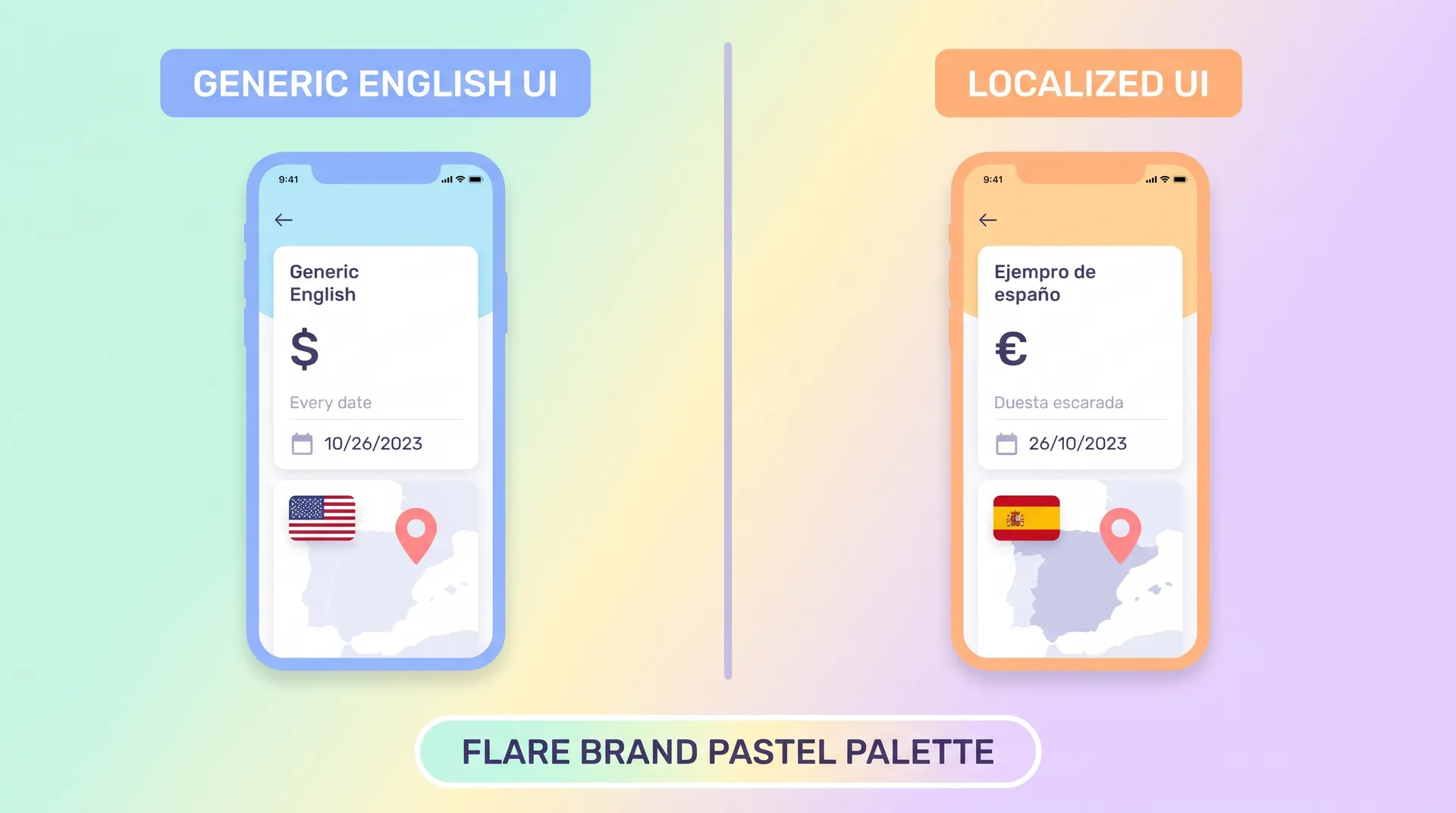
Viewers in your target market are looking at the screen before they're processing the words. Within the first two seconds of an app demo, they clock the language of the UI, the currency symbol, the date format, the keyboard, the notification style. If any of that doesn't match what they'd see on their own phone, the video reads as foreign-made content with a dub slapped on top.
This isn't a minor polish issue. It's the difference between a demo that feels like proof and one that feels like an ad. I've covered the bigger picture of why this matters for creator campaigns generally in App Localization for International Creator Campaigns, but this post is about the mechanics: how you actually get a creator to record footage that looks like it came from a phone that's lived in that market its whole life.
The good news is this is fixable with a checklist, not a bigger budget. Most of what breaks localized demo footage is about device setup before filming even starts, not production value.
The screen is the product, and it has to match the market
Think about what a buyer in Jakarta or São Paulo actually sees on their phone. Different date formats (DD/MM vs MM/DD). Different currency and decimal separators (1.000,00 vs 1,000.00). Different payment options showing up at checkout — Boleto in Brazil, GoPay in Indonesia, Paytm in India. None of that shows up unless the device itself is configured for that region, not just running a translated app build.
Setting up the device before the creator ever hits record
Before you send a single brief, get the creator's test device into the actual target locale. This means changing the phone's system language and region settings, not just downloading a localized app build. Most apps pull date formats, number formatting, and even some UI copy from the device's locale settings, so if the phone itself is still set to "English (United States)," you'll get inconsistent results even with a fully translated app.
Here's the setup sequence I give creators:
- Change the device system language to the target market's language, not just the app language
- Set the region/locale to the actual country, not a generic language setting (Portuguese-Brazil is not the same as Portuguese-Portugal)
- Switch the App Store or Play Store account to one registered in that country, so pricing, currency, and store listing all match
- Clear cached data so old region settings don't leak into payment screens or promo banners
- Confirm the keyboard is set to the local language if the demo shows any typing
That last one trips people up constantly. A creator typing a search query with a US QWERTY autocomplete suggesting English words, inside a Korean-language demo, looks instantly wrong to a Korean viewer. It's a small detail, but these are exactly the details that make footage feel native versus feel staged.
Don't assume your app automatically detects the device locale correctly. Test it yourself first. I've seen apps default to English even on a properly configured device because of a hardcoded fallback in the build. Catch that before the creator wastes a shoot day.
Payment flows are the highest-risk moment in the whole video
If your demo video shows any part of checkout, subscription signup, or in-app purchase, this is where localization mistakes are most visible and most damaging. A viewer in Mexico who sees a checkout screen defaulting to USD and a US-issued card icon will assume the app isn't really available to them, even if it is. Walk through the actual payment methods popular in that market and make sure the creator's test account has them available to show, or at least reference in the script.
This matters more than people think for trust. A buyer deciding whether to download a finance or shopping app wants to see their own payment reality reflected back, not an adapted version of someone else's.
Briefing creators on local UI conventions, not just translation
A translated script read over a mismatched screen is worse than no localization at all, because it signals the brand didn't actually check. I wrote more about this exact failure mode in Localized Ad Hooks vs Translation: Fix the Problem, Not Words — the short version is that swapping words without swapping context rarely moves performance. The same logic applies to screen recordings.
Your brief needs a section specifically on what the creator should check on their device before filming, not just what to say. I'd rather hand a creator a five-minute device setup checklist than a beautifully written script performed over a US-locked UI. If you're putting together the written brief itself, the structure matters as much as the content — see Localization Terminology Creative Brief: Brief Creators Right for how to lay that part out so nothing gets lost in translation between you and the creator.
A few specific things worth flagging in every brief:
- Push notification previews should show in the local language, with local time formatting
- Any map or location feature should default to a real local address, not a US headquarters pin
- Review/rating screens should reflect realistic local app store ratings, not an inflated US number
- Font rendering for non-Latin scripts (Arabic, Thai, Japanese) needs to be checked on the actual device — some fonts render broken or clipped text that a US-based brand reviewer won't catch
That last point is worth dwelling on. I've had Arabic UI text come back from a build with right-to-left layout bugs that only show up on a real device in a real locale, not in a design mockup. If your creator catches that during a test recording and flags it, that's gold. Build a feedback loop into the shoot, not just a delivery deadline.
Finding creators who can actually catch these issues
Not every creator in a target market will notice these details unmentioned, which is exactly why vetting for genuine fluency and device familiarity matters more than just "based in that country." A creator who grew up using a US-configured phone because of family circumstances might not catch a currency mismatch any faster than you would. I go deeper on how to screen for this in Local Creator Recruitment App Marketing: Vet for Fluency, but the fast version: ask them to send a screen recording of their own daily-use apps before you brief anything. If their own phone settings look native, you're in good shape.
Ask for a 30-second test clip of the creator's own device settings and home screen before the actual shoot. It costs you nothing and tells you instantly whether their setup matches the target locale or needs adjustment first.
Review footage like a local, not like a translator
When footage comes back, resist the urge to just check that the subtitles are accurate. Watch the screen with the sound off first. Does the UI, the currency, the keyboard, the time stamp all look like something a local user would actually see? If you can't verify that yourself because you don't read the language, get a second local reviewer involved specifically for that pass — someone different from the creator, so you're not just getting the same blind spot confirmed twice.
This is also a good moment to cross-check against your broader rollout plan. If you haven't already nailed down which market you're prioritizing and why, that decision should happen upstream — I cover the tradeoffs in App Localization Market Selection: Pick Your First Market. It's a lot easier to brief one market correctly than to half-localize three at once and get none of them right.
If your demo includes any on-screen text or subtitles, double check whether dubbing or subtitles perform better for your specific market and app category. We broke down the tradeoffs in Subtitles vs Dubbing App Videos.
Before you greenlight a market launch, run through a final pass to make sure nothing — not just the video — is still set to a default US configuration. The App Localization Readiness Checklist is worth running against your demo footage specifically, not just your app build.
The payoff is trust, not just polish
Native-feeling demo footage doesn't just look nicer. It changes how a viewer categorizes the ad in their head — proof versus promotion. A viewer who sees their own currency, their own payment method, their own keyboard reacts differently than one who sees an adapted US experience. That gap shows up in conversion rate, not just in comments.
I'd rather spend an extra hour on device setup than an extra dollar on production value. Get the screen right and the rest of the demo does a lot less convincing work.
Frequently Asked Questions
What is a localized app demo video?
Do I need a creator physically located in the target country?
How do I check if an app's UI actually changes based on device locale?
What's the biggest localization mistake in app demo videos?
Should subtitles or dubbing be used for localized demo videos?
How do I brief a creator on local UI conventions?
Related reading
- App Localization for International Creator Campaigns
- Local Creator Recruitment App Marketing: Vet for Fluency
- Localization Terminology Creative Brief: Brief Creators Right
- Subtitles vs Dubbing App Videos: What Actually Converts
- App Localization Market Selection: Pick Your First Market
- App Localization Readiness Checklist Before You Launch