Onboarding Email Video Placement When You Don't Own the Flow
A practical guide to onboarding email video placement when marketing or lifecycle tools own the automation and you just supply the clip.

I've watched founders spend three weeks getting the perfect onboarding video shot, edited, and approved — only to hand it off to whoever owns the email tool and never think about it again. Six months later they're asking why activation didn't move. The video was great. The onboarding email video placement was garbage.
Here's the thing nobody tells you: the clip itself is maybe 30% of whether it works. The other 70% is where it sits inside a sequence you probably don't control. Your RevOps person owns the automation in Customer.io. Your marketing lead owns it in HubSpot. Your growth hire owns it in Braze. You made the video. You don't own the pipes it flows through. And that gap is where most onboarding videos go to die, buried in email three of a seven-email drip nobody reads past email one.
Why Onboarding Email Video Placement Is a Different Problem Than Video Quality
When I talk to founders about their onboarding video, the conversation almost always starts with production — script, presenter, length, tool. Rarely does anyone ask "which email, and where in that email, and what happens if someone clicks."
That's backwards. A mediocre video placed at the exact moment someone's stuck will outperform a beautifully produced one buried under three paragraphs of welcome copy. I've seen it happen on our own customers' sequences more than once.
The core issue is ownership. Most SaaS teams split onboarding into silos: product owns in-app messaging, marketing owns lifecycle email, sales or CS owns anything manual. Nobody owns the handoff between "user signs up" and "user sees the thing that gets them to their first real outcome." Video placement in email falls squarely into that crack.
If you haven't already picked the single outcome your onboarding is driving toward, go read SaaS Onboarding First Useful Outcome: Pick One Milestone first. Placement decisions are meaningless until you know what action the video is supposed to trigger.
The Automation Owner Is Not Your Enemy
Treat the person running the email tool as a collaborator, not an obstacle. They have constraints you don't see — deliverability limits, template systems, brand guidelines, A/B test queues already running. If you show up asking for a video to be "dropped in somewhere," you'll get the worst possible slot: buried at the bottom, after the logo and before the unsubscribe link.
Instead, bring them a specific ask: "Email 2, right after the first CTA, replacing the static screenshot." Specific requests get implemented. Vague ones get deprioritized.
Where the Video Actually Belongs in the Sequence
Most onboarding sequences run 4 to 7 emails over the first one to two weeks. Video placement differs wildly depending on where in that sequence you are.
Email 1 (Welcome, sent within minutes of signup): Skip the video here, or keep it under 30 seconds if you must include one. People open this email for confirmation, not content. Cramming a 2-minute walkthrough into the welcome email competes with their actual goal, which is getting into the product.
Email 2–3 (Day 1–3, the "haven't done the thing yet" email): This is prime video real estate. By now the user has either done the key action or hasn't. If they haven't, this is where a short, targeted video — showing exactly that one action — earns its keep. Thumbnail-first, not autoplay, since most email clients don't autoplay anyway.
Email 4–5 (Day 4–7, re-engagement for stalled users): Video here should answer a specific objection, not repeat the generic walkthrough from email 2. If someone's still stuck a week in, showing them the same intro clip again is a waste. This is where a narrower, problem-specific video performs better than the one-size-fits-all onboarding reel.
Later emails (feature adoption, expansion): Different job entirely. These aren't activation videos anymore — they're feature announcements or upsell nudges. Don't reuse your core onboarding video here just because it's convenient.
If your team is debating whether a given touchpoint needs a bespoke video or a generic walkthrough, that decision tree is covered in Onboarding video vs product walkthrough: pick per step. Worth reading before you ask for five different videos across five emails — you probably need two or three, reused smartly.
Embed or Link? The Decision You Don't Fully Control
Here's where not owning the automation really bites. Native video embedding in email is a mess — Apple Mail and some webmail clients support it, Outlook and Gmail mostly don't, and even where it's technically possible, file size and deliverability risk make most ESPs refuse to touch it.
Practically, you're choosing between two options and the email tool's capabilities decide for you half the time:
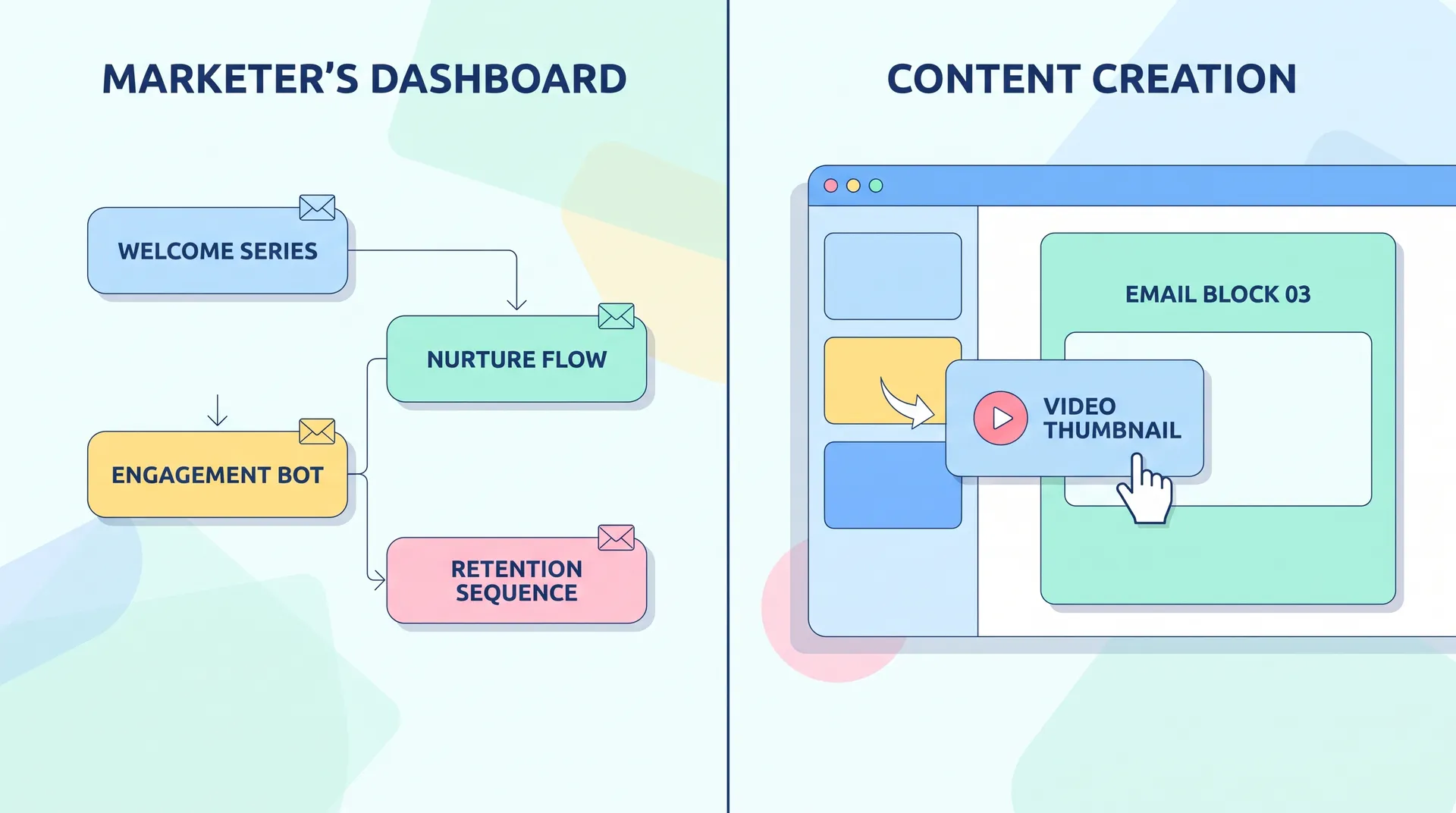
- A clickable thumbnail image with a play button overlay, linking out to a hosted video (Wistia, Vimeo, Loom, YouTube unlisted). This is what the vast majority of SaaS companies do, based on how lifecycle tools like Customer.io and Braze document their video guidance.
- An animated GIF preview that loops a few seconds of the video inline, also linking out. Higher engagement in some tests because it moves in the inbox, but heavier file weight and occasional rendering issues in older Outlook versions.
Neither is "embedding" in the literal sense — you're not getting a video player inside the email body outside a few niche clients. If whoever owns your ESP tells you embedding isn't supported, they're not being difficult. They're right, and Litmus has written good breakdowns of exactly why if you want the technical detail on client rendering.
What you can control: the thumbnail design. Make it obviously clickable — a play button, a realistic preview frame, maybe a timestamp ("1:42"). Generic stock thumbnails get ignored. A frame of an actual product screen with a visible cursor gets clicked.
Give the Automation Owner a Spec, Not Just a File
When you hand off a video for email, don't just send an MP4. Send:
- The hosted link (Wistia or Vimeo, not a raw file)
- A pre-rendered thumbnail image at the right aspect ratio
- Suggested alt text for accessibility and spam filter friendliness
- The exact email and position you're requesting, with reasoning
This turns a 20-minute Slack back-and-forth into a five-minute update on their end. I've found that teams who package the ask like this get their video live within a day. Teams who just say "can we add the onboarding video somewhere" wait two sprint cycles.
What to Track Once It's Live
You don't own the automation, but you should still own the measurement. Ask for (or pull yourself, if you have read access):
- Click-through rate on the video thumbnail, separate from overall email CTR
- Whether clicking through correlates with completing the activation milestone within 48 hours
- Drop-off comparison between users who got the video email and a holdout group, if your ESP supports split sends
If nobody's tracking whether the video email actually moves the activation needle, you're flying blind on the exact thing the video exists to do. This ties directly back to the stall-point analysis in SaaS User Onboarding Drop-Off: Find the Exact Stall Point — placement without measurement is just decoration.
Ask the automation owner for UTM parameters on the video link specifically. That one request lets you separate "people who clicked the video" from "people who clicked anything in the email" in your analytics, which is usually the data gap that kills these conversations later.
One more thing worth saying plainly: don't let the video replace the written copy entirely. Some users scan, some watch. If the entire value proposition of the email lives inside a video nobody clicks, you've lost that segment completely. Keep one strong sentence of copy above the fold that does the job the video reinforces.
If your ESP doesn't support UTM tagging or click-level analytics on embedded links, you're placing a video blind. Push for at least basic click tracking before investing more production budget into additional onboarding clips.
For the bigger picture on why this all matters — not just placement but the entire activation strategy behind onboarding video — the pillar piece SaaS Onboarding Videos: Driving Real User Activation lays out the framework this article assumes you've already read.
Lifecycle email tools like HubSpot and Braze keep adding native video support, but adoption is slow and inconsistent across inboxes according to Litmus's own client market share data. Until that changes, the thumbnail-link approach remains the safest default, and your energy is better spent on placement and timing than chasing native embed hacks.
If you're coordinating with a marketing team that also runs co-created content formats, it's worth comparing notes with how creator-led programs structure handoffs — see Co-Created Webinar Content: Pairing Creators With Live Formats for a parallel example of handing off creative assets to a team that owns the distribution channel.
FAQ
Frequently Asked Questions
Can you actually embed a playable video inside an onboarding email?
Which onboarding email should include the video, email 1 or a later one?
What should I send the marketing team if I don't control the email automation?
Does video in onboarding emails actually improve activation rates?
Should the same onboarding video be reused across every lifecycle email?
What file format works best for onboarding video thumbnails in email?
Related reading
- SaaS Onboarding Videos: Driving Real User Activation
- SaaS Onboarding First Useful Outcome: Pick One Milestone
- Onboarding video vs product walkthrough: pick per step
- SaaS User Onboarding Drop-Off: Find the Exact Stall Point
- SaaS Welcome Video vs Tutorial Video: When to Use Each
- How to Script a Single-Task Onboarding Video People Watch