Repurpose Founder Video Content Into a Content System
Learn how to repurpose founder video content into weeks of posts, clips, and follow-ups from a single 30-minute recording session.

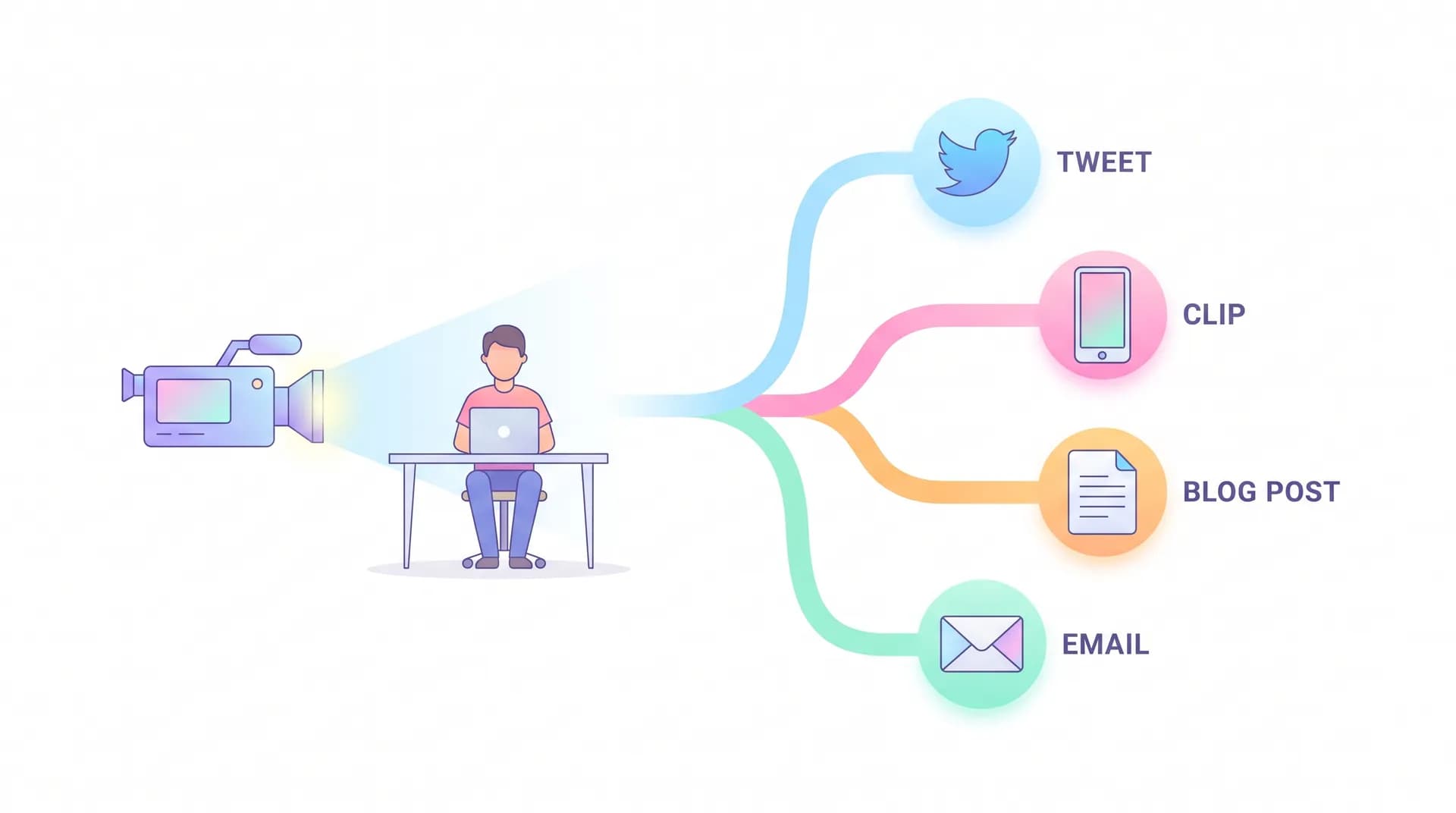
I recorded one 32-minute video in my kitchen eleven months ago. It became 47 pieces of content over the next ten weeks. Not because I'm some editing wizard — because I stopped treating "making content" and "recording video" as the same task.
Most founders get this backwards. They think they need to produce constantly: new topic, new setup, new recording session every time they want something to post. That's exhausting, and it's why founder-led marketing dies after three weeks for most people. The founders who actually keep it up treat every recording as raw material, not a finished product.
Why repurpose founder video content instead of recording more
Here's the math that changed how I work. A single recording session — camera, mic, 30-45 minutes of talking — costs me roughly the same setup time whether I say one thing or twenty things. The fixed cost is lighting, framing, finding a quiet room, remembering where I put the lav mic. The variable cost is just talking longer or hitting a few more topics in one sitting.
So the real lever isn't recording frequency. It's extraction rate — how many usable pieces you pull from each session.
Most SaaS founders I talk to record a video, post it once on LinkedIn, and move on. They're getting maybe 1x return on a session that could easily produce 15-20x. That's not a content problem. That's a workflow problem, and it's the single biggest reason founder-led marketing programs stall out. I wrote about building the sustainable version of this in Founder-Led Marketing: A Repeatable Program for SaaS Growth — repurposing is the engine that makes the "repeatable" part actually true.
The one-session, many-outputs mindset
Think of your recording session as a quarry, not a finished product. You're not shooting "a LinkedIn video." You're mining a 30-minute block for:
- 3-5 short vertical clips (60-90 seconds each)
- 1 long-form post built from the full transcript
- 2-3 quote graphics pulled from your sharpest one-liners
- A follow-up email to your list referencing what you said
- Talking points for your next sales call
- Raw footage for a future comparison or objection-handling clip
That's six different formats from one sitting. None of them require you to turn the camera back on.
How to structure the recording so repurposing is easy
The repurposing step gets way easier if you set it up right at the recording stage. I cover the full pre-shoot checklist in Founder Video Content Strategy: Prep a 30-Minute Shoot, but the short version for repurposing purposes: record in distinct segments, not one continuous ramble.
Instead of free-flowing for 30 minutes, I break the session into 5-7 self-contained chunks, each answering one question. "Why did we build this feature." "What's the biggest mistake customers make onboarding." "What do I wish competitors would stop doing." Each chunk runs 3-5 minutes and stands alone.
Why does this matter? Because a clip editor (or you, doing it yourself) can grab any single chunk and it already makes sense without context from the rest of the video. No restructuring needed. No "wait, what was he responding to." Just cut at the natural start and end points.
Before each segment, say the topic out loud on camera — "Okay, this one's about pricing objections." It feels awkward in the room but it turns into a free label when you're scrubbing through footage later looking for a specific clip.
If you're short on topics for these segments, mine your actual customer interactions. I've got a whole piece on this exact method: Turn Sales Call Questions Into SaaS Founder Content. The questions prospects ask you on calls are a built-in content calendar — you're just answering them on camera instead of in a Zoom window.
Breaking one recording into a content calendar
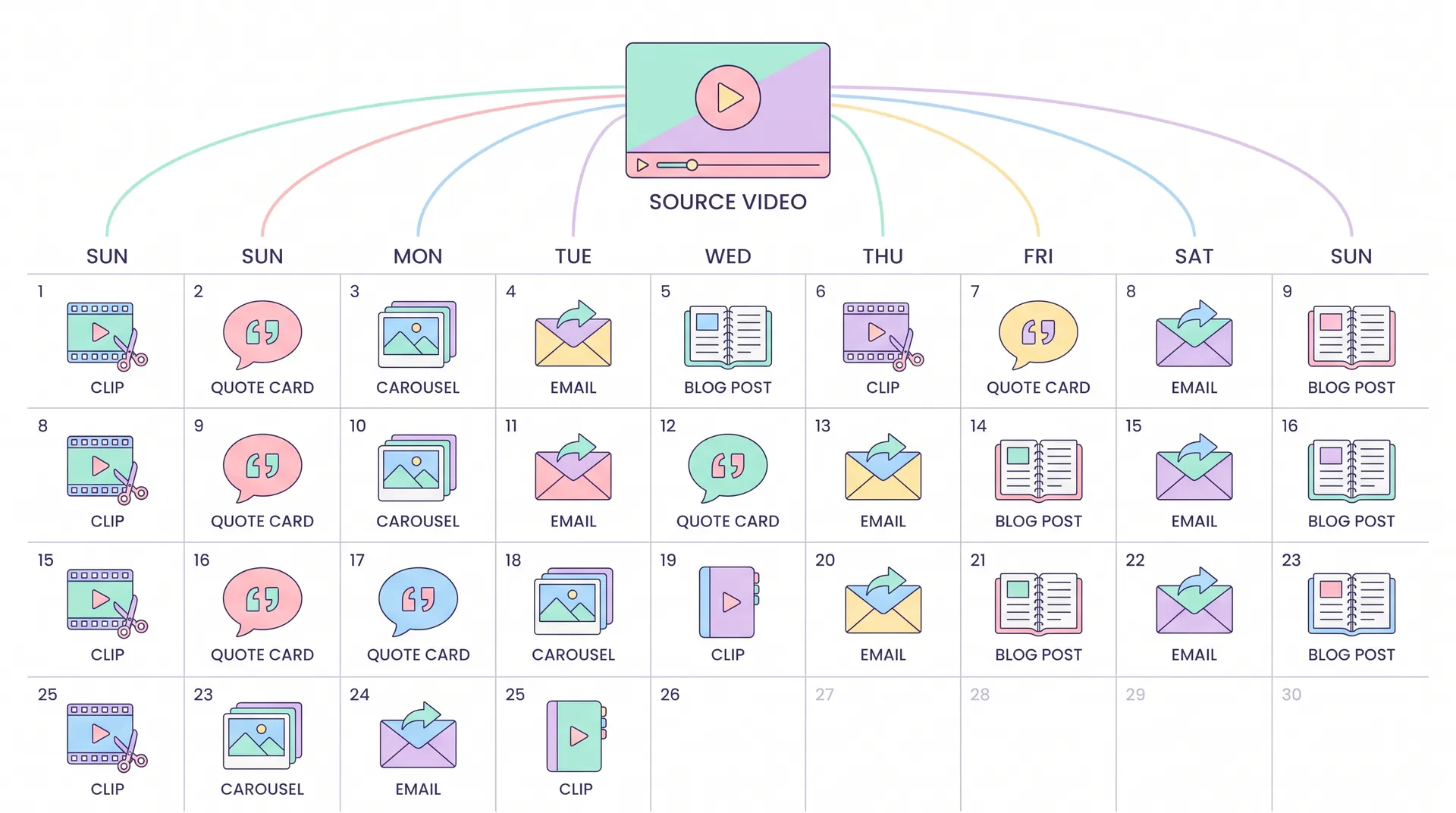
Once you have the footage, here's the actual breakdown I use. This is roughly what came out of that 32-minute kitchen recording.
Day 1-2: The short clips. Pull your 4-5 strongest segments and cut them into standalone vertical videos. Add captions (people watch muted). These go on TikTok, Reels, Shorts, and LinkedIn native video. Don't post all five on day one — spread them across the week so you're not burning your best material in a single afternoon.
Day 3: The transcript post. Run the full recording through a transcription tool, then edit it down into a long-form post for LinkedIn or your blog. Don't just paste the transcript — tighten it, cut the filler words, add a hook sentence at the top that wasn't in the original speech.
Day 4: Quote graphics. Scan the transcript for 2-3 sentences that work as standalone statements — sharp opinions, specific numbers, a sentence that sounds good without any setup. Turn those into simple text-on-background graphics for Twitter/X and Instagram.
Day 5: The email. Write a short email to your list referencing the topic, with a link to the full clip or post. This is the step most founders skip, and it's often the highest-converting piece because your list already trusts you.
Day 6-7: Sales and support reuse. Drop the relevant clip into a sales follow-up email, or pin it in your help docs if it answers a common support question. If one of your segments happened to address a common pushback, it slots directly into the kind of library I describe in Handling Objections in Sales Video: A Founder's Script.
That's one week of content, entirely sourced from one recording. Scale that across a month of sessions (even just two per month) and you've got a genuinely full calendar without ever feeling like you're "making content" every day.
Tools that make the extraction faster
You don't need an editing team to pull this off. A few tools handle most of the heavy lifting:
- Transcription: Otter.ai or Descript turn your recording into searchable text in minutes, which makes finding your best quotes dramatically faster than re-watching the whole thing.
- Clipping: Descript and Opus Clip can auto-detect strong segments and export vertical cuts with captions baked in. You'll still want to review picks manually — auto-detection misses nuance sometimes — but it cuts editing time by more than half.
- Graphics: Canva for quote cards. Takes five minutes once you have a template saved.
- Scheduling: Buffer or Later to queue the week out instead of posting manually each day.
None of this is exotic. The tooling has been commoditized — the actual constraint is almost always the workflow discipline of actually doing the breakdown every single session, not finding a better app. If you're already doing something similar with UGC creator content, the logic overlaps a lot with how to batch UGC content using AI tools — same principle, applied to your own face instead of a creator's.
Common mistakes that kill the repurposing yield
I've watched (and made) these mistakes enough times to flag them:
Recording without segments. If you ramble for 30 minutes on one continuous thought, you'll fight the footage later trying to find clean cut points. Segment from the start.
Posting everything the same day. Spacing matters more than people think — a clip that lands Tuesday and a quote card that lands Thursday both get full attention. Dump them together and the second one gets ignored.
Skipping the written formats. Video gets the attention, but the blog post and email version reach people who'll never watch a video — including a chunk of B2B buyers who read everything at their desk with the sound off.
Not tying clips back to product. A clip that's just "founder has an opinion" with no product tie-in is a missed opportunity. If you're demoing something or referencing a feature, treat it the way I describe in Product Demo Video for SaaS: Film It Like Proof, Not an Ad — show it working, don't just talk about it.
Don't force every segment into every format. A dense, technical answer about your architecture might make a great blog paragraph and a terrible 60-second clip. Match the content to the format instead of cramming everything through the same pipeline.
What this actually buys you
The compounding effect here isn't just time saved. It's consistency. Algorithms on every platform reward accounts that post regularly, and a content system built on repurposing means you can hit that cadence without needing new inspiration every single day. You already said the thing — you're just finding new containers for it.
It also builds a library. Six months into doing this, I have a searchable archive of clips organized by topic — pricing objections, feature explanations, product philosophy — that I can pull from for sales enablement, onboarding emails, even investor updates. One recording session touches way more of the business than "marketing."
If your current process is one recording equals one post, you're leaving most of the value on the table. Go back through your last three months of founder videos — I'd bet there's a month of unused content sitting in files you've already shot.
FAQ
Frequently Asked Questions
How many content pieces can I get from one founder video?
What's the best tool to repurpose founder video content?
Do I need a video editor to repurpose founder recordings?
How often should founders record video for content?
Should I post all the clips from one recording at once?
Related reading
- Founder-Led Marketing: A Repeatable Program for SaaS Growth
- Founder Video Content Strategy: Prep a 30-Minute Shoot
- Turn Sales Call Questions Into SaaS Founder Content
- How to Find Your Founder Point of View Before You Post
- Scripting Founder Opinions Without Sounding Corporate
- Handling Objections in Sales Video: A Founder's Script
Sources: HubSpot content repurposing data, Descript transcription workflows, Buffer social media scheduling research.