UGC ecommerce strategy: map content to every funnel stage
Stop wasting UGC assets. Learn how to map creator content to awareness, consideration, and retargeting — plus product pages and email flows.

Most ecommerce brands treating UGC as a social media tactic are leaving serious money on the table. They commission five videos from creators, post two of them on Instagram, and call it a day. The other three sit in a Google Drive folder until someone deletes them to free up storage.
That's not a UGC strategy. That's an expensive content graveyard.
A real ugc ecommerce strategy maps every piece of creator content to a specific job — a funnel stage, a placement, a moment in the customer journey. When you do that, a single creator deliverable can show up in your paid social awareness campaigns, your product page, your abandoned cart email, and your retargeting ads. Same asset. Four jobs. That's when UGC stops being a line item and starts being a growth lever.
Here's exactly how to build that system.
Assign UGC to funnel stages before you brief a single creator
The mistake most brands make: they brief creators after they've already decided to "do UGC," without any connection to where that content will actually run. Then the videos come back and the media buyer squints at them thinking, "this doesn't feel like an ad."
Brief for placement first. Know where the content is going before you write the first line of the creative brief. If you want a structured brief template that handles this, How to write a UGC campaign brief that works covers it in detail — but here's the funnel logic you need to understand first.
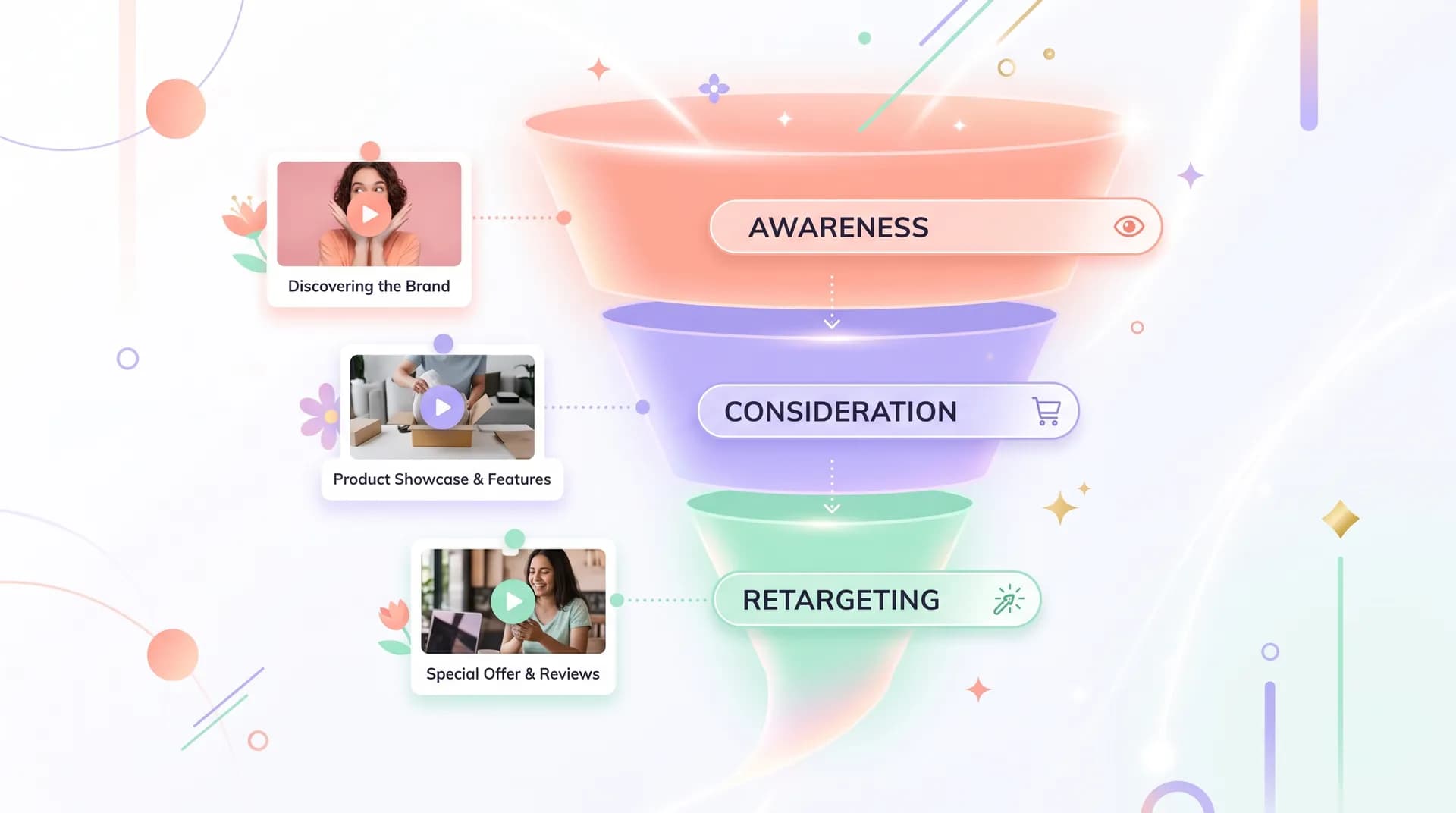
Top of funnel (awareness)
Awareness UGC has one job: stop the scroll and make someone feel something. They don't know your brand yet. They definitely don't care about your product specs.
What works here: lifestyle content, relatable problem hooks, pattern-interrupt visuals. The creator should feel like a real person accidentally talking about something cool — not a spokesperson reading bullet points. Think "I found this and it changed my whole routine" energy, not "buy now, limited stock."
For Meta and TikTok, these are typically 15–30 second videos. Single hook-led creative. Broad audience targeting. You're optimizing for thumb-stops and clicks, not conversions.
Mid funnel (consideration)
Someone has clicked your ad or visited your site once. Now they need a reason to trust you.
This is where more informative UGC earns its keep — before/after demos, honest reviews, product comparisons, "here's what I actually got" unboxings. The creator can go longer here: 45–90 seconds is fine because the viewer already has some intent.
Creator testimonial videos work exceptionally well as consideration content in retargeted video views audiences. Someone saw your awareness ad two days ago. Now they're seeing a creator explain why they love your product for 60 seconds. That's a different kind of persuasion than a cold scroll-stopper.
Bottom of funnel (retargeting)
This is where UGC gets brutally specific. You're talking to people who have visited a product page, added to cart, or initiated checkout. They know what the product is. They're on the fence.
Retargeting UGC should feel direct: address objections, reinforce social proof, create urgency. Short clips (10–20 seconds) that answer "is this actually worth it?" work best. UGC-style testimonial snippets that say "I almost didn't buy it, but…" are absurdly effective here.
The big win at this stage: matching the UGC to the exact product someone viewed. That means commissioning content by SKU or product category — not generic brand videos — so your retargeting ads feel eerily relevant.
Embed UGC directly on product pages (most brands skip this)
Your paid social content is doing the heavy lifting to drive traffic. Then people hit your product page and all they see is stock photography and a few star ratings.
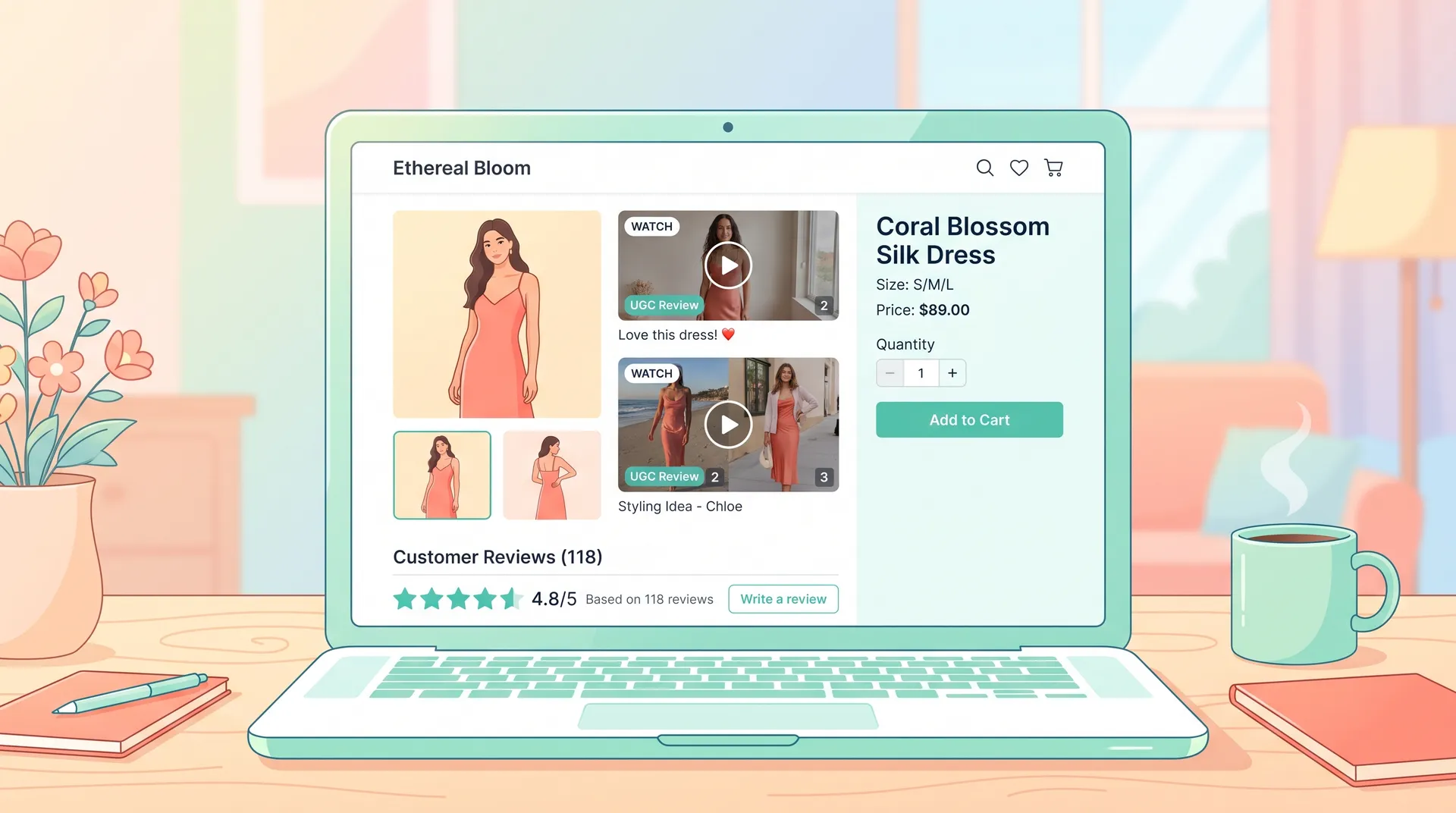
Embedded UGC on product pages consistently lifts conversion rates. A Bazaarvoice study found that shoppers who interact with UGC on product pages are 2x more likely to convert than those who don't. Powerreviews research puts the conversion lift from UGC at up to 8.5% on average across product pages.
The practical setup:
- Pull 2–3 short-form creator videos into your product image gallery. Most Shopify themes support this natively, or you can use apps like Tolstoy or Videowise to embed shoppable video carousels.
- Place a "As seen by creators" section above the fold — not buried in a tab nobody opens.
- Use real creator quotes as social proof text, not manufactured marketing copy. "I was skeptical, but I've repurchased three times" beats "premium quality you'll love."
This is also where your review-style UGC earns a second life. Content briefed specifically for retargeting ads often doubles perfectly as product page embed material — same conversational, trust-building energy. Brief creators once, deploy twice.
Build UGC into your email flows (not just your newsletters)
Most brands drop UGC into the occasional newsletter blast and consider the channel "covered." The smarter play is baking creator content into automated flows — the sequences that run in the background generating revenue every day.
Welcome series: A new subscriber doesn't know if they can trust you yet. Dropping a 10-second creator clip (as a GIF preview with a play button that links to a product page video) in email 2 of your welcome flow introduces social proof without it feeling like an ad.
Abandoned cart: Email 1 of your abandoned cart flow is usually a reminder. Email 2 is where you fight for the sale. A short creator testimonial GIF or screenshot quote — specifically about the product the person abandoned — addresses objections at the exact right moment. Klaviyo makes this dead simple to personalize by product category.
Post-purchase: Don't stop deploying UGC after someone buys. A post-purchase sequence that shows creator content for complementary products is one of the highest-ROI places to cross-sell. The customer already trusts you. Now you're introducing them to more of your catalog through creators who feel like real people.
Winback: If a customer hasn't bought in 90 days, a "look what you've been missing" email with creator content can restart the relationship far better than a discount code alone.
For the email placements to work, you need vertical or square-cropped clips, clean captions (many email clients mute video previews by default), and creator content that works without sound. Brief for this explicitly — don't assume the same 16:9 horizontal cut your media buyer uses for TikTok ads will work in an inbox.
Scale the asset library without scaling the budget
Here's the thing brands rarely do: systematic content repurposing before they commission new creative.
One creator deliverable should realistically produce:
- The original video (awareness ad)
- A 10-second cut (retargeting)
- A static frame or quote pull (display, email header)
- An audio-off version with captions (email embed, silent autoplay on product pages)
- A B-roll cut without the hook (product page gallery)
That's five deployable assets from one brief. If you're commissioning 10 videos a month and pulling five variations from each, you have 50 assets to rotate. Creative fatigue becomes much less of a problem when you actually use what you're paying for.
The brands I see spending the least on UGC production while getting the most out of it always have an internal asset tracker — usually just a Notion table or Airtable base — that logs every deliverable, every variation, every placement, and every expiry date on usage rights. Without that, you're repeating the Google Drive graveyard problem.
If you're still figuring out how much to allocate before you have this system in place, the UGC marketing budget guide has realistic benchmarks by brand size.
Track performance at the asset level, not the campaign level
The only way to know if your funnel mapping is working is to track UGC performance by placement — not just by campaign.
Your awareness videos might have great CTR but terrible post-click conversion. Your retargeting clips might show high ROAS but you're burning them out in two weeks. Your product page embeds might be adding time-on-page without influencing add-to-cart. Each of those signals tells you something different about what to brief next.
Set up UTM parameters on every UGC asset. Tag by funnel stage, creator, format, and hook type. After 30 days, you'll have data that actually tells you which creative angles work at which stage — and you can brief smarter from there.
This is the part of UGC strategy that most brands skip because it feels like extra work upfront. But it's what separates brands running sustainable creator programs from brands that blow $10k on videos, see "okay" results, and decide "UGC doesn't work for us." The difference is almost never the content. It's whether the content was in the right place, talking to the right person, at the right moment.
For a deeper look at the ROI metrics that matter, UGC marketing ROI: metrics and reporting guide breaks down exactly what to track and how to report it upward.
If you're newer to building a UGC program from scratch, the UGC marketing: the brand's complete guide (2025) gives you the full picture — everything from finding creators to measuring results — that this article assumes you've already started thinking about.
Frequently Asked Questions
What is UGC ecommerce strategy?
How does UGC improve ecommerce conversion rates?
Where should I use UGC on my ecommerce site?
How do I use UGC in email marketing for ecommerce?
How many UGC assets should I commission per month?
What types of UGC work best for retargeting ads?
Related reading
- UGC marketing: the brand's complete guide (2025)
- How to write a UGC campaign brief that works
- UGC ad creative testing: how to find winners fast
- UGC marketing ROI: metrics and reporting guide
- UGC marketing budget: how much brands should spend
- How to hire UGC creators: a brand marketer's checklist
- UGC video ideas: 12 high-converting formats with examples